SEE THE REAL PENNYKEPT

Your home.
Less to remember.

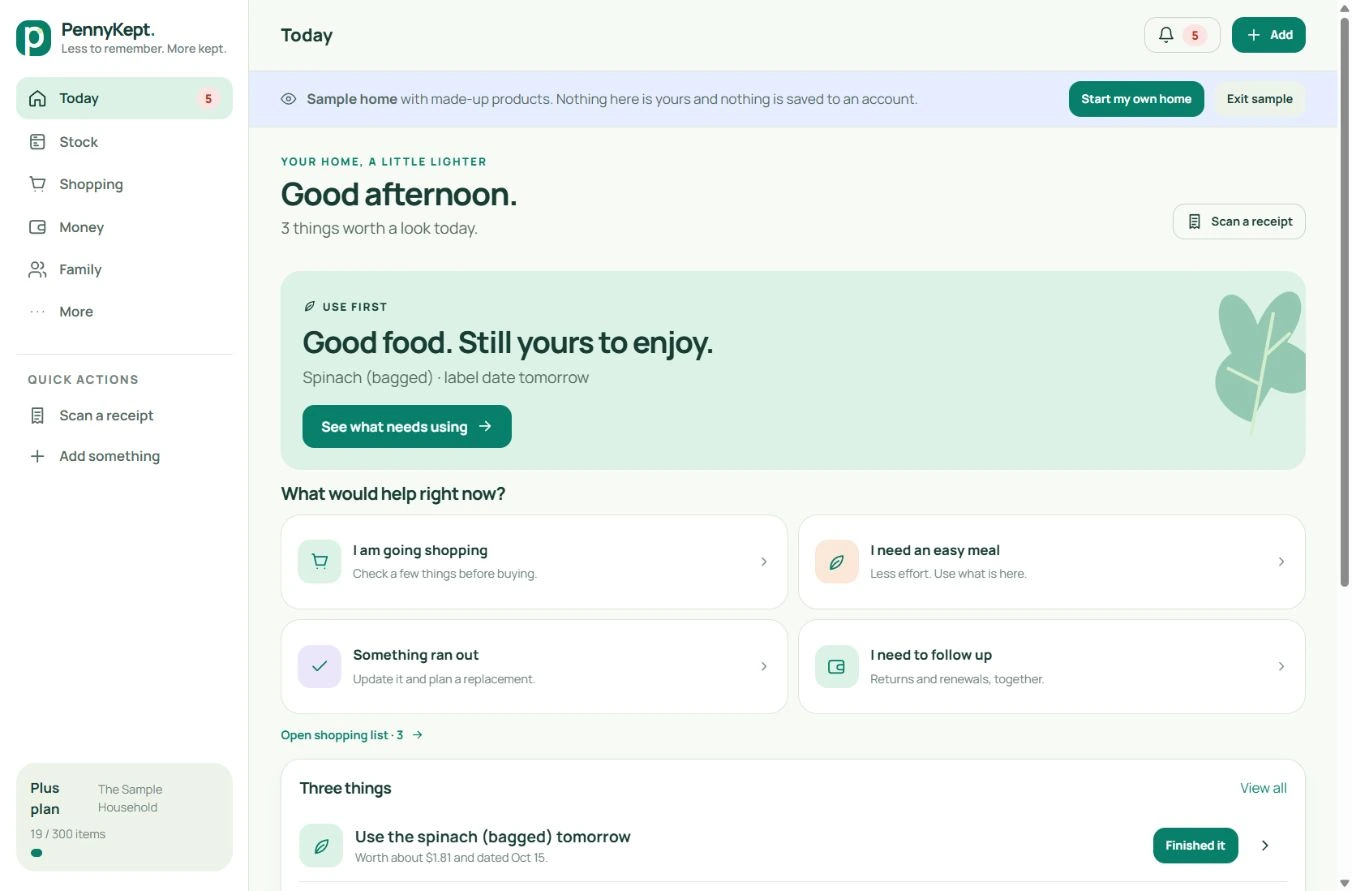
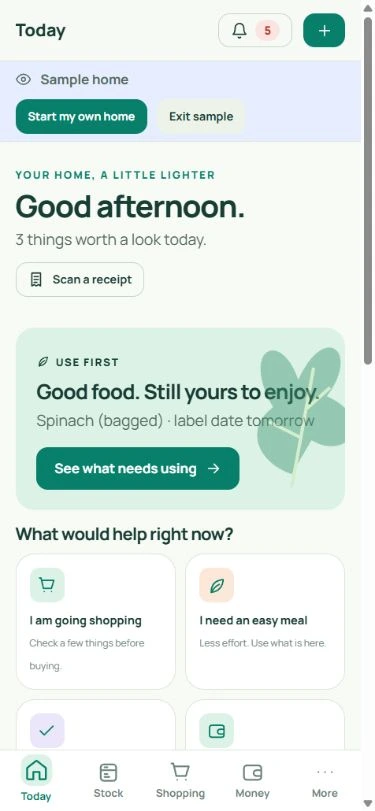
From the receipt you just brought home to the next shop you want to plan. Explore each feature with real desktop and mobile app captures.

Try the sample home ↗

Every software image below is an actual app capture, with the real icons and fictional sample data.

Actual PennyKept screen · fictional sample household · select a view and open at full size.

A THOUGHTFUL NEXT CHAPTER

Less household guesswork.
More useful little decisions.

Explore the new version 2.3 tools with real screenshots. The sample demonstrates the workflow; availability notes explain what is ready and what needs rollout.

Before the next shop

Know what fits before you fill the basket.

Plan pack counts against your own recorded prices. Unpriced items stay visible, so a partial estimate never masquerades as the final bill.

  • Set a trip budget and choose packs. Setting an item aside affects only this device’s planning draft.
  • Explore visitor and date scenarios without recording consumption or changing purchases.
  • Compare unit prices from your own history, ask guided stock questions, divide selected receipt lines equally and download a private household snapshot.

Planning works with your recorded information. Estimates exclude unknown prices, tax and future price changes.
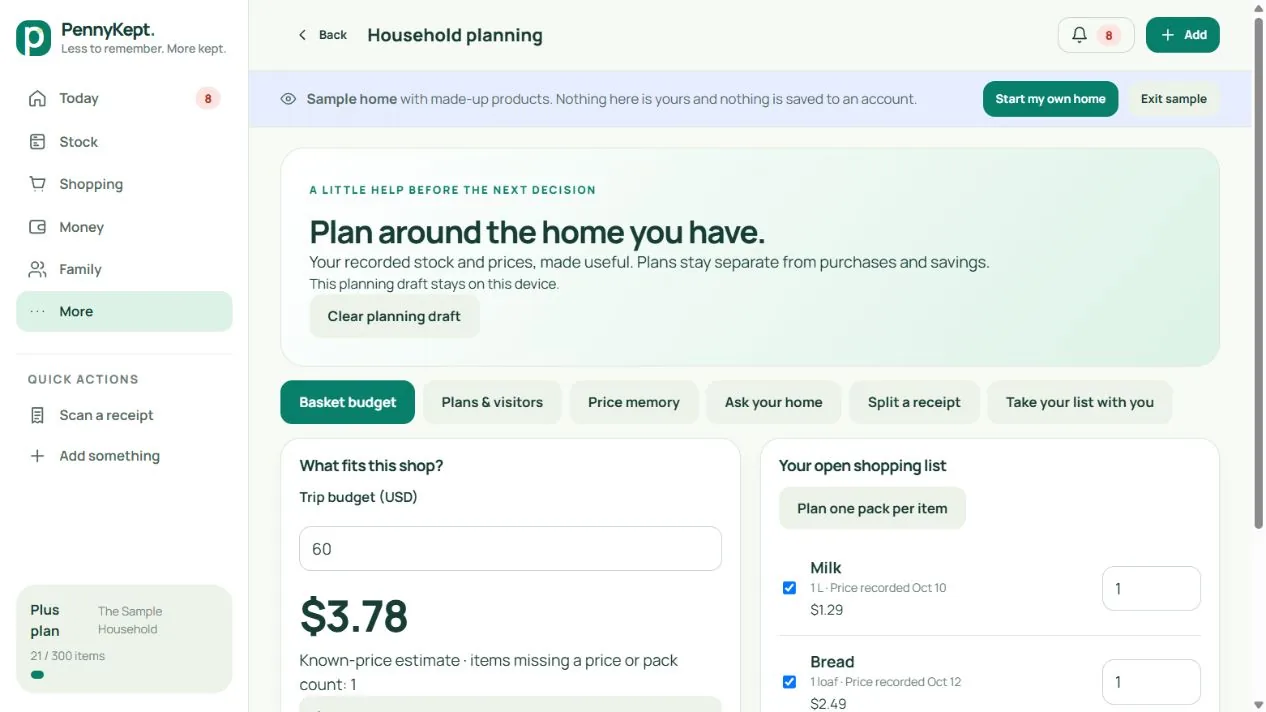
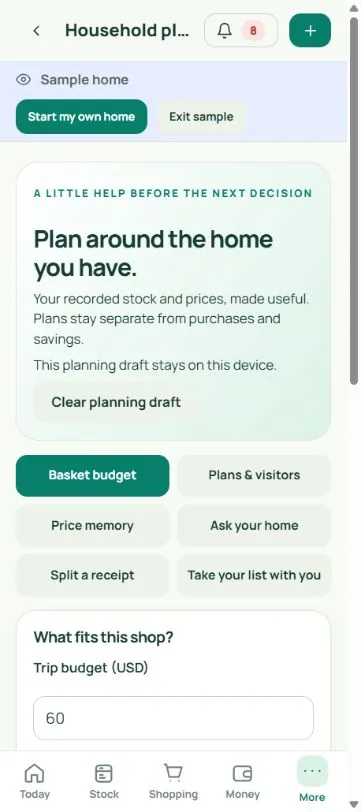
Actual version 2.3 preview · fictional sample home · desktop and mobile views.
The food you meant to use

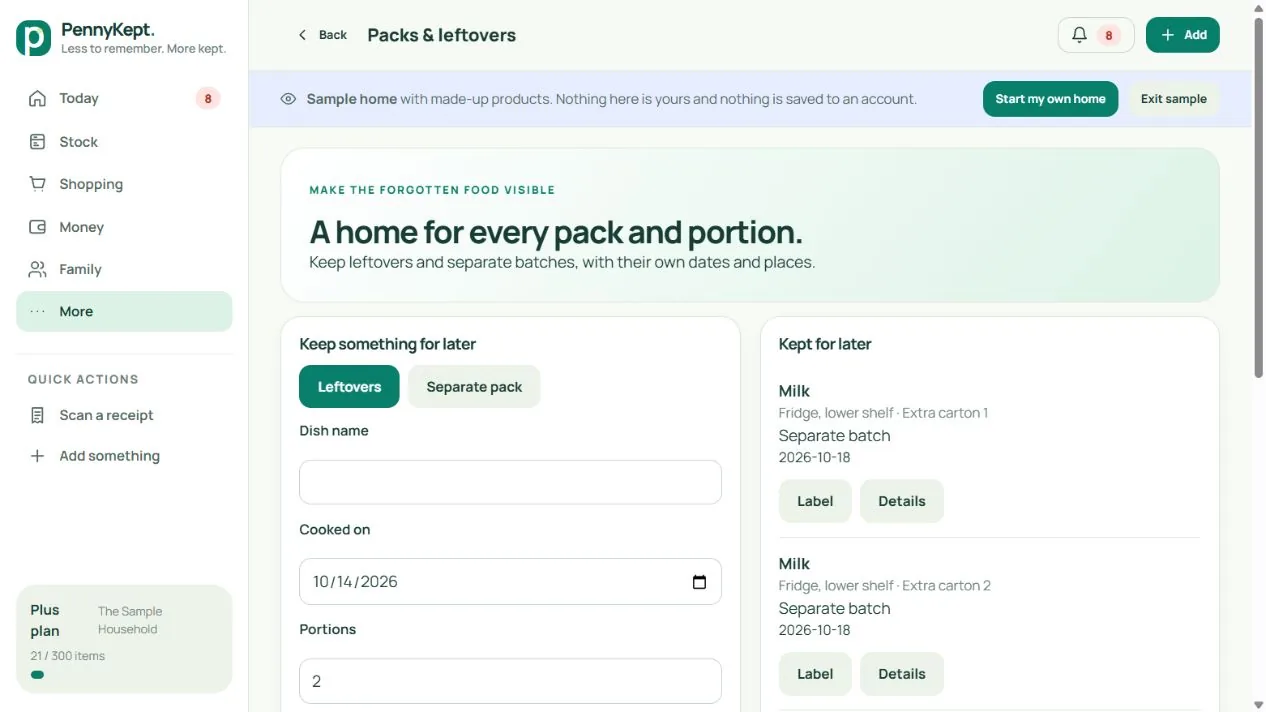
Give every pack and portion its own place.

Two packs can have two dates. Leftovers can have a name, a shelf and a portion reserved for lunch.

  • Record leftovers with portions, a cooked-on date and a label date you confirm yourself.
  • Keep separate physical packs as individual stock records, with their own places and dates.
  • Record a portion used, undo a mistake, reserve lunch and print a simple text label.

Live in connected homes since 14 October 2026, after the household database update. PennyKept does not determine food safety or extend dates.

Actual version 2.3 preview · fictional sample home · desktop and mobile views.
Less typing, more control

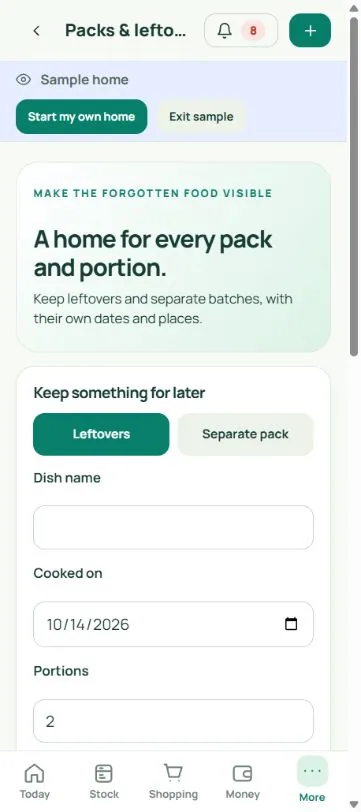
Capture a draft. Keep the final say.

Paste a list, try supported browser dictation, or request visible-name suggestions from a shelf photo. Review what stays before saving.

  • Duplicate names are removed from typed drafts. Select only the items you want on Shopping.
  • Browser speech support varies. Microphone permission is your choice.
  • Photo assistance requires a signed-in home and sends the selected image to the configured AI provider. It suggests names, not quantities, hidden stock or safety.

Typed drafts work everywhere, including the sample home. Photo suggestions need a signed-in home and count against its monthly scan allowance.

Actual version 2.3 preview · fictional sample home · desktop and mobile views.
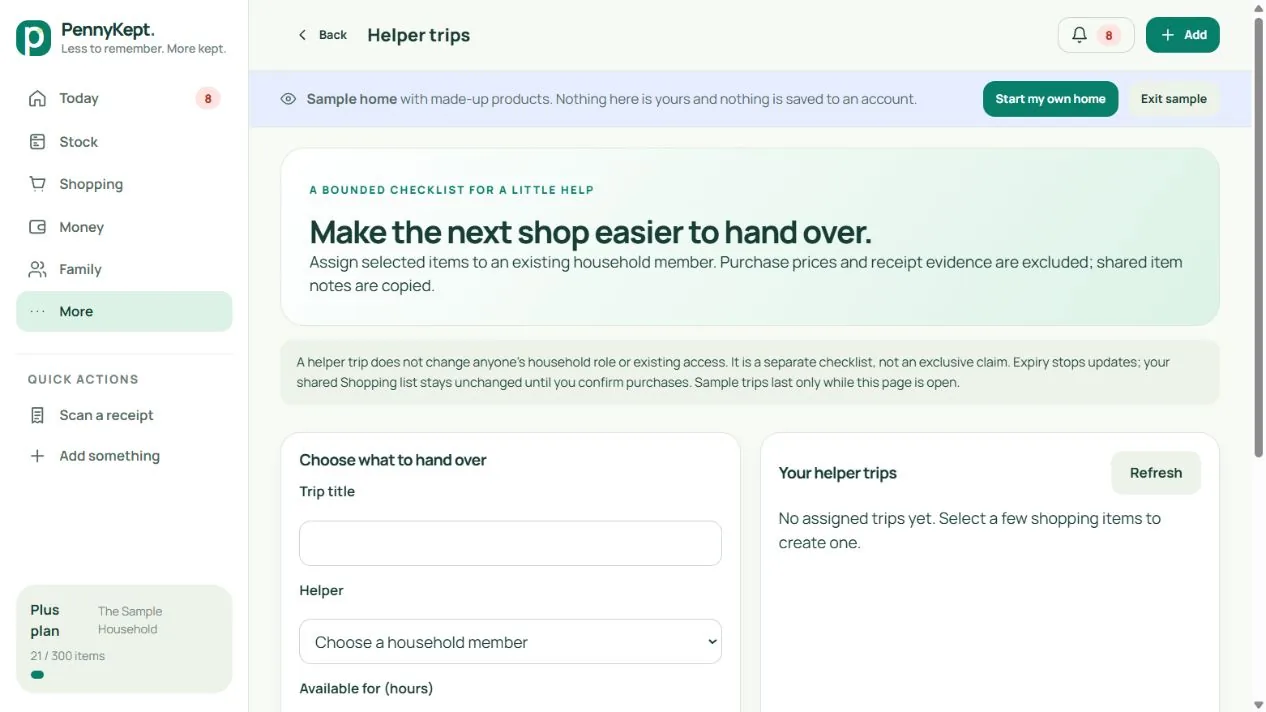
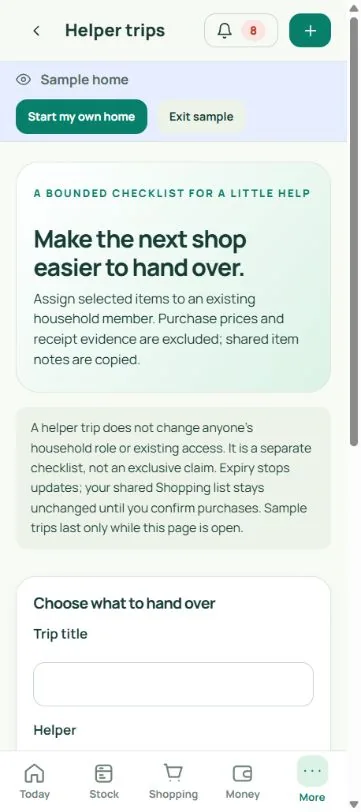
A little help, bounded

Hand over the essentials without copying the whole purchase trail.

Choose a few items for an existing household member and give the checklist an expiry. Keep the shopping trip separate from the household record.

  • Choose selected items, a household helper and a duration from 1 to 168 hours.
  • Track needed, bought or unavailable items. The person who assigned the checklist can revoke it.
  • No structured purchase prices or receipt evidence are copied. Shared item notes still travel with the checklist, so review them first.

Live in connected homes since 14 October 2026, after the household database update. Existing roles and access do not change; confirm purchases separately on Shopping.

Actual version 2.3 preview · fictional sample home · desktop and mobile views.
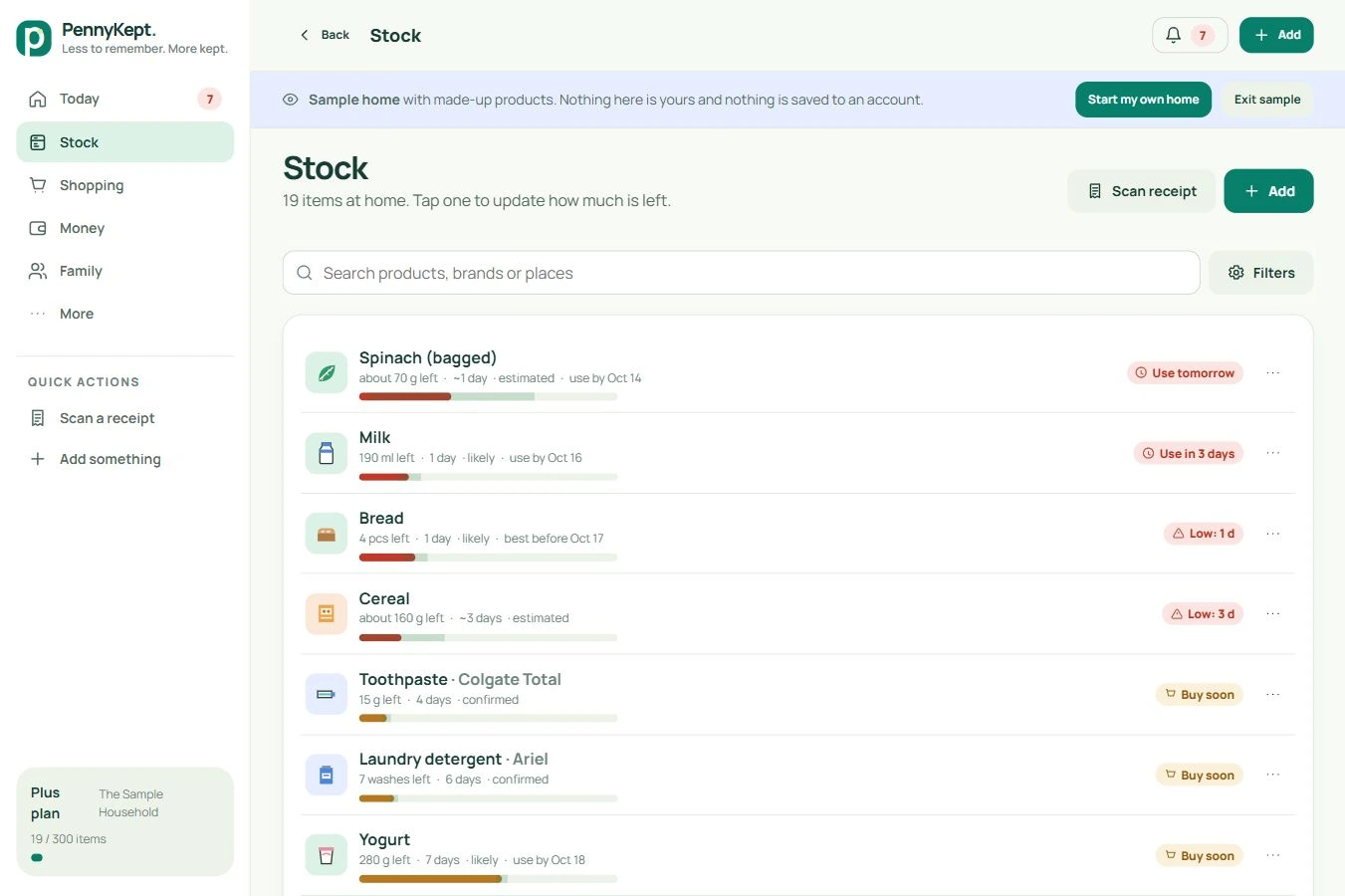
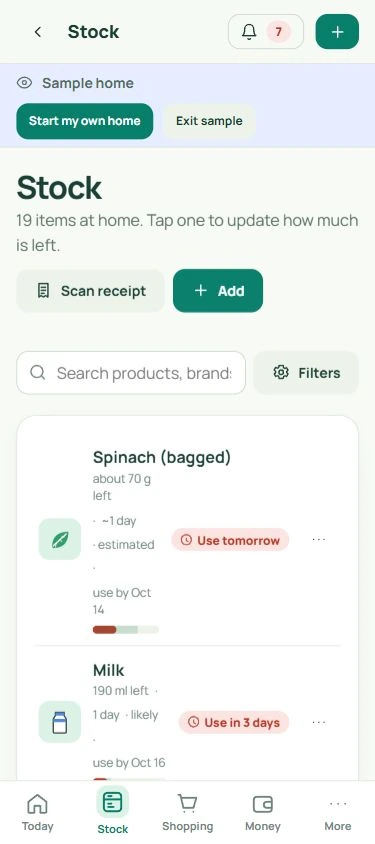
Stock

Know what is already at home.

Check your pantry, bathroom, cleaning supplies and everyday essentials before buying again.

  • Search by product, brand or location and filter by room, category or attention needed.
  • See confirmed or estimated quantities, label dates and confidence together.
  • Update a level, mark an item finished or add it to the shopping list.

Actual PennyKept screen · fictional sample household · select a view and open at full size.

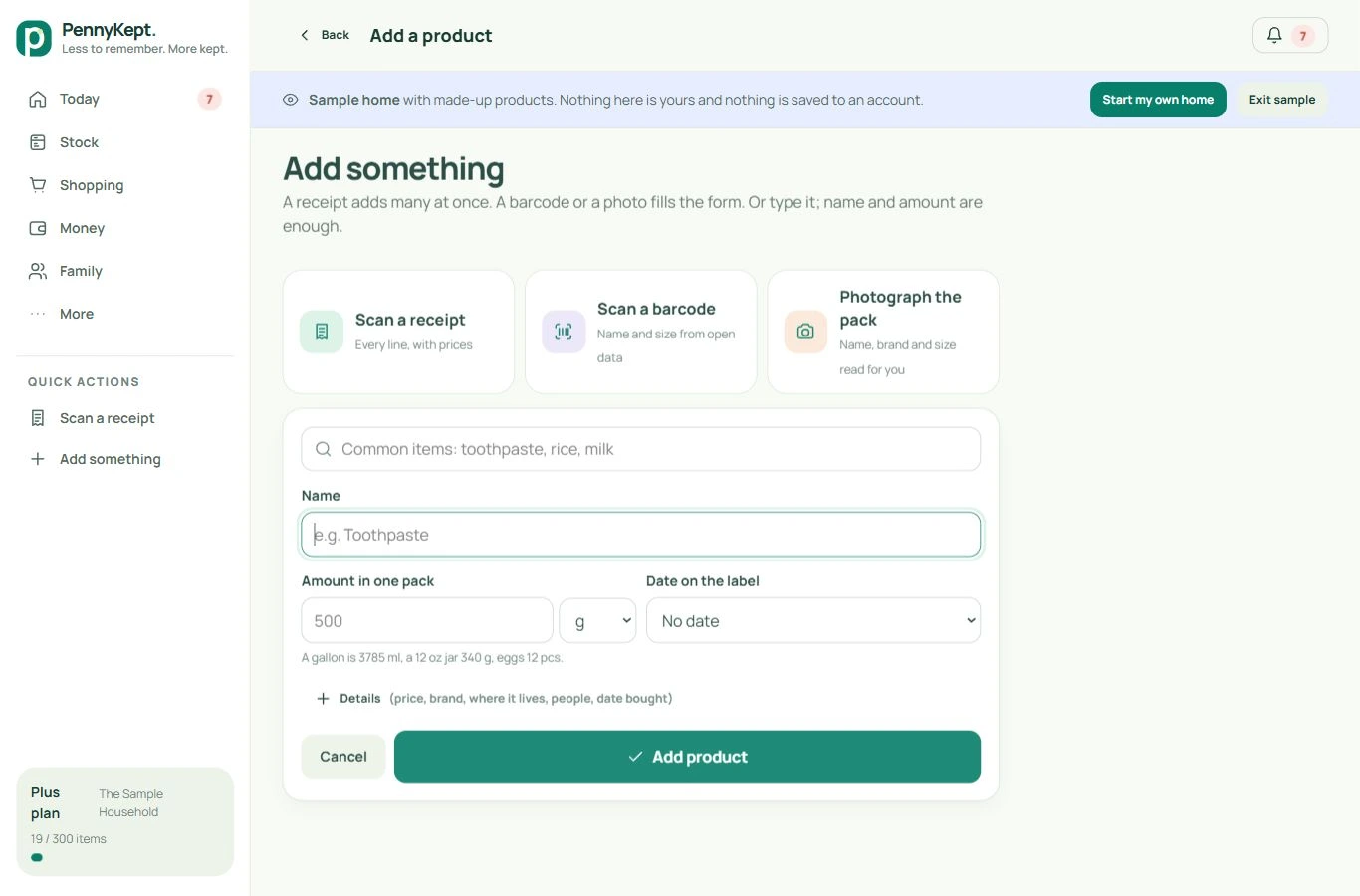
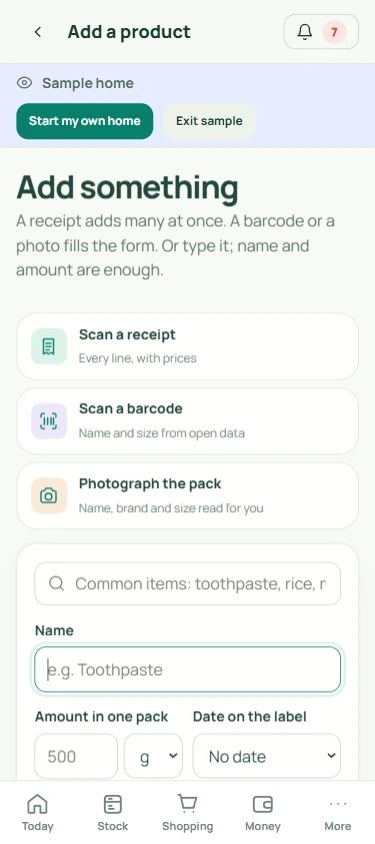
Add a product

Add things in the way that suits you.

Begin with one product, your next receipt or the pack in your hand.

  • Type a product, scan its barcode or photograph the packaging.
  • Review product name, pack size, unit, category and paid price before saving.
  • A matching product can be restocked instead of creating a duplicate. Barcode coverage and image reads vary.

Actual PennyKept screen · fictional sample household · select a view and open at full size.

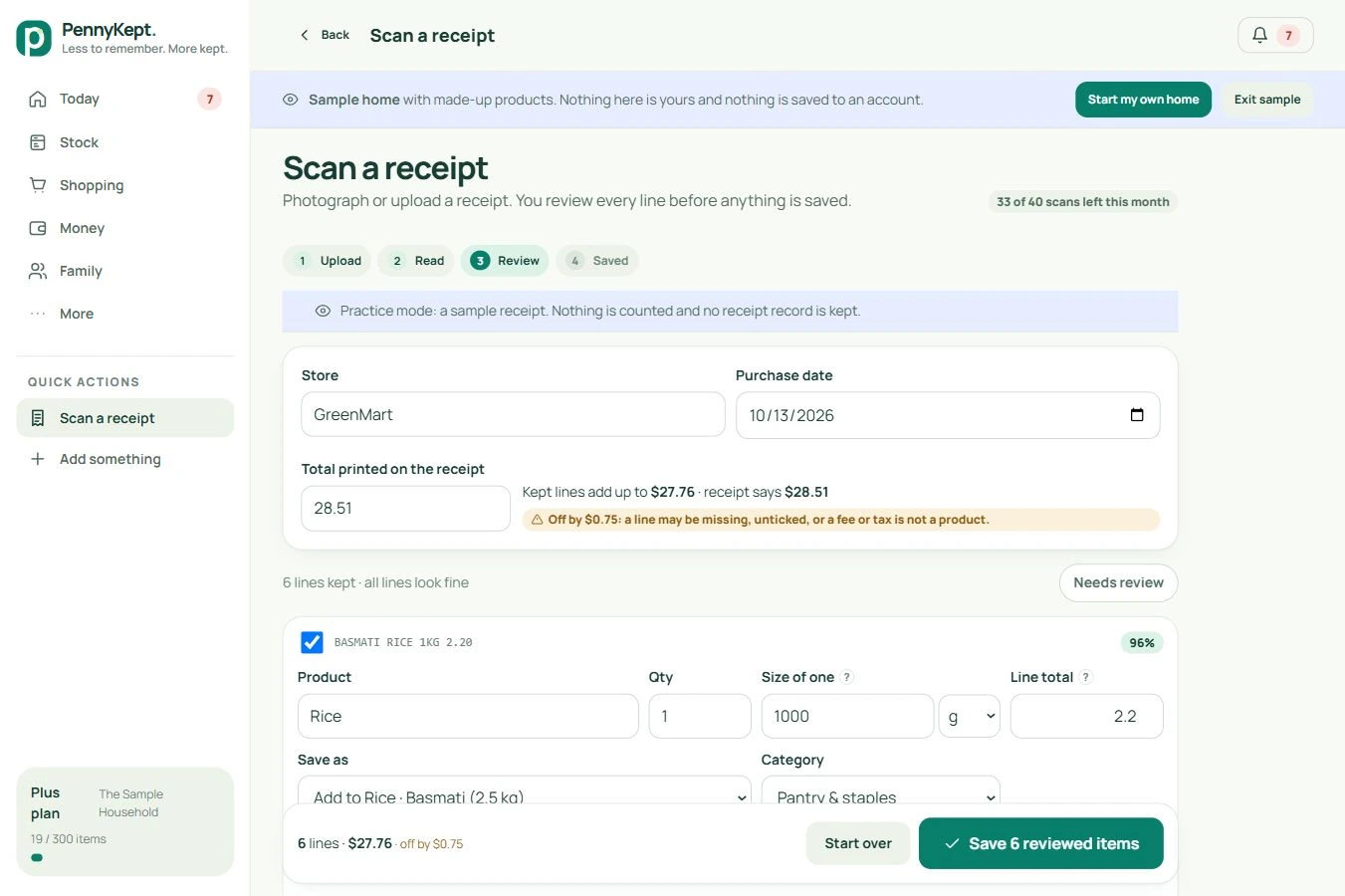
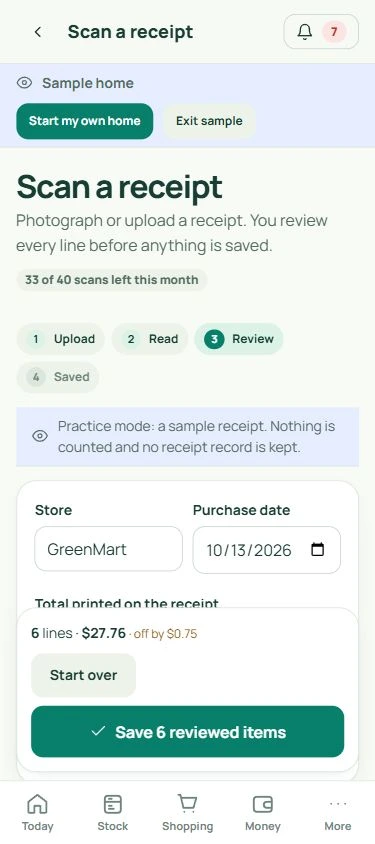
Receipt review

Let the receipt do the typing. You do the checking.

A new photo or saved receipt screenshot becomes a reviewable set of purchase lines.
  • Choose Take a receipt photo or Upload receipt. Reading starts automatically after image selection; check the purchase date on older receipts before saving.
  • Check merchant, purchase date, names, quantities, pack sizes and line totals.
  • Low-confidence or unknown details are flagged, and kept lines reconcile against the printed total.
  • Choose a new product or an existing item to restock. Scans use your plan allowance; no item is saved until you confirm.
  • After saving, review clear shopping-list matches and move only the items you confirm to Bought, with undo. Unmatched requests remain on the list. See the actual list review ↗

Actual PennyKept screen · fictional sample household · select a view and open at full size.

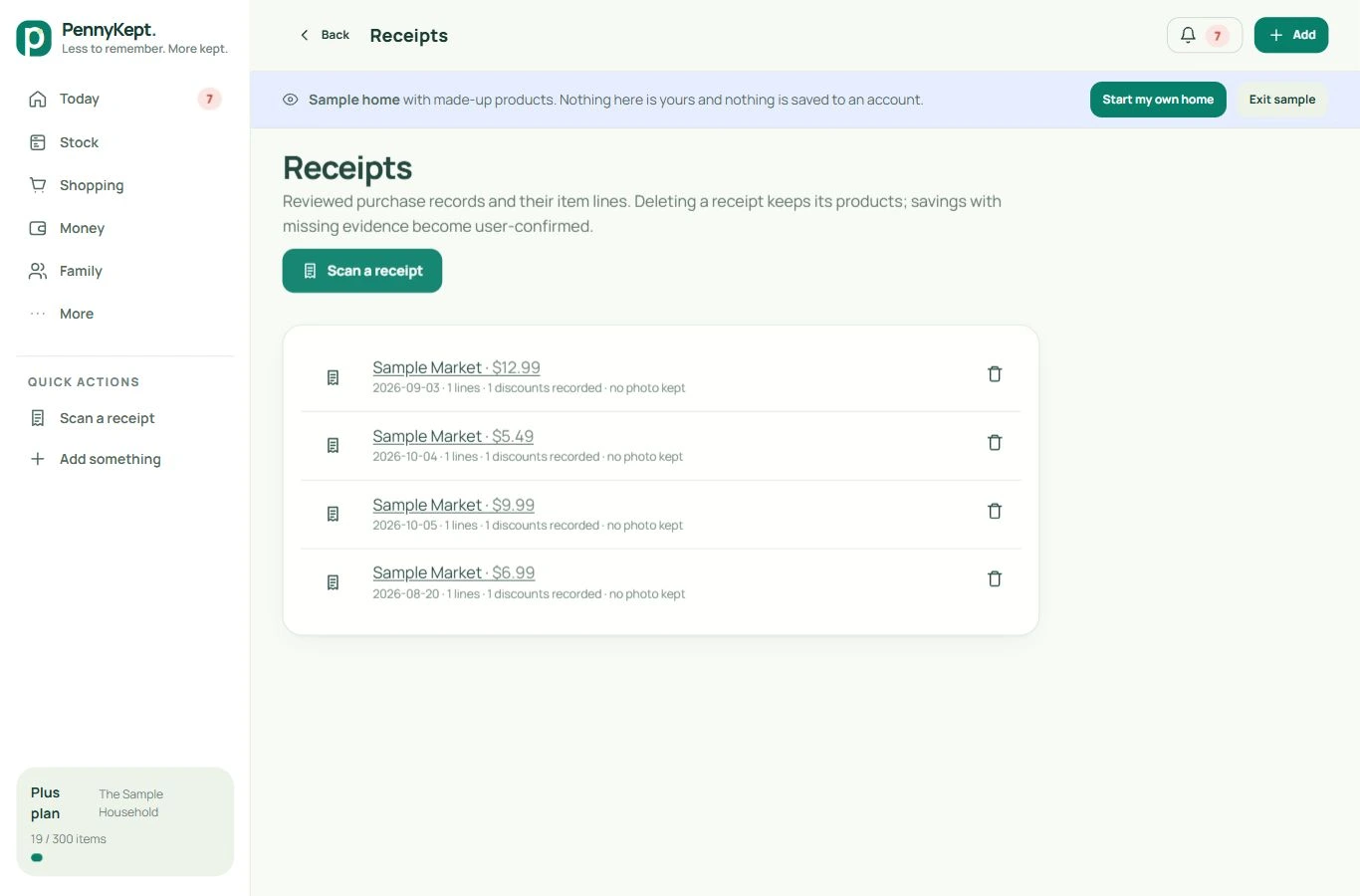
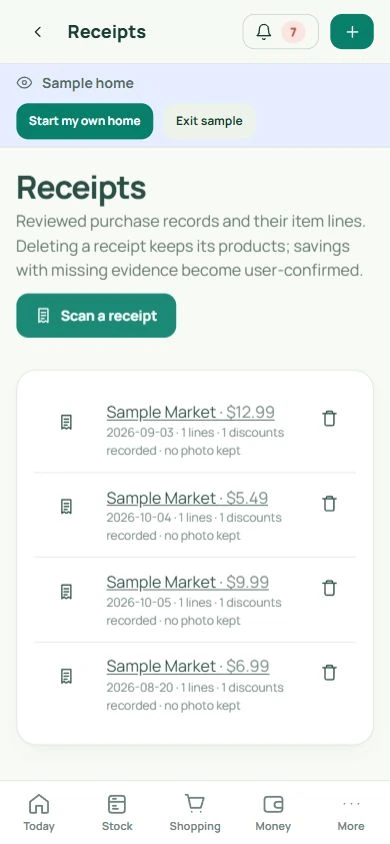
Receipt library

Keep the purchase trail inspectable.

Reviewed receipts connect purchases and receipt-backed savings to their evidence.

  • Open a retained receipt to inspect its exact item lines and available photo.
  • A savings evidence link highlights the referenced line, even without a stored photo.
  • If the evidence is unavailable, the amount is labelled user-confirmed rather than documented.

Actual PennyKept screen · fictional sample household · select a view and open at full size.

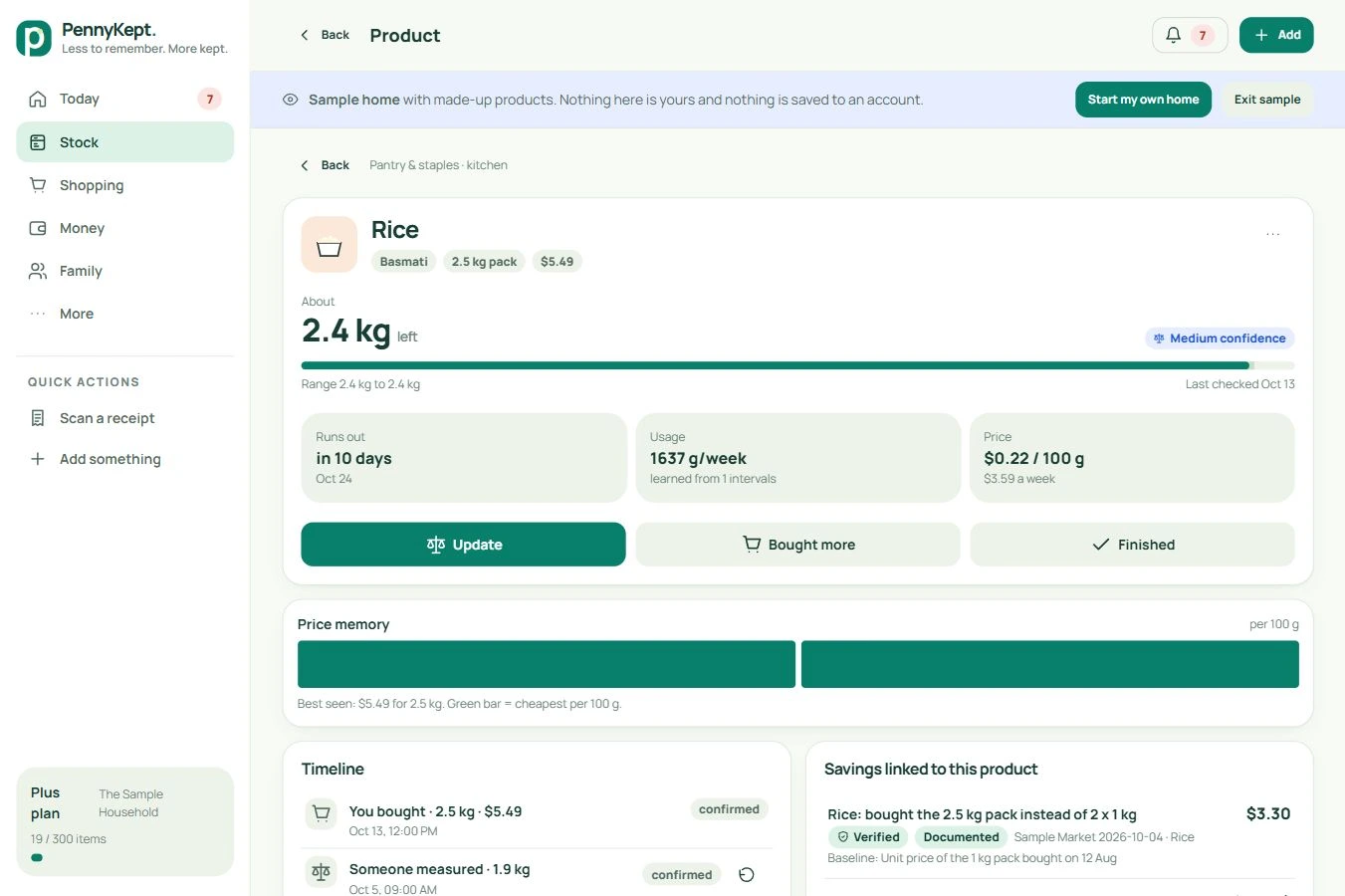
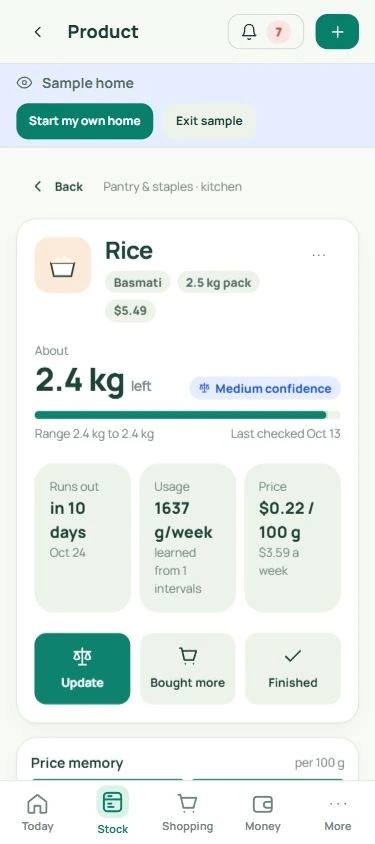
Product details and price history

Understand a product before buying more.

Keep its quantity, unit price and purchase history in one useful view.

  • Review days-left estimates, confidence and the last confirmed update.
  • Bought more starts a dated purchase; repeat purchases build your personal price history.
  • The timeline records updates and waste. Pack comparisons use your recorded prices; they are not a live retailer price search.

Actual PennyKept screen · fictional sample household · select a view and open at full size.

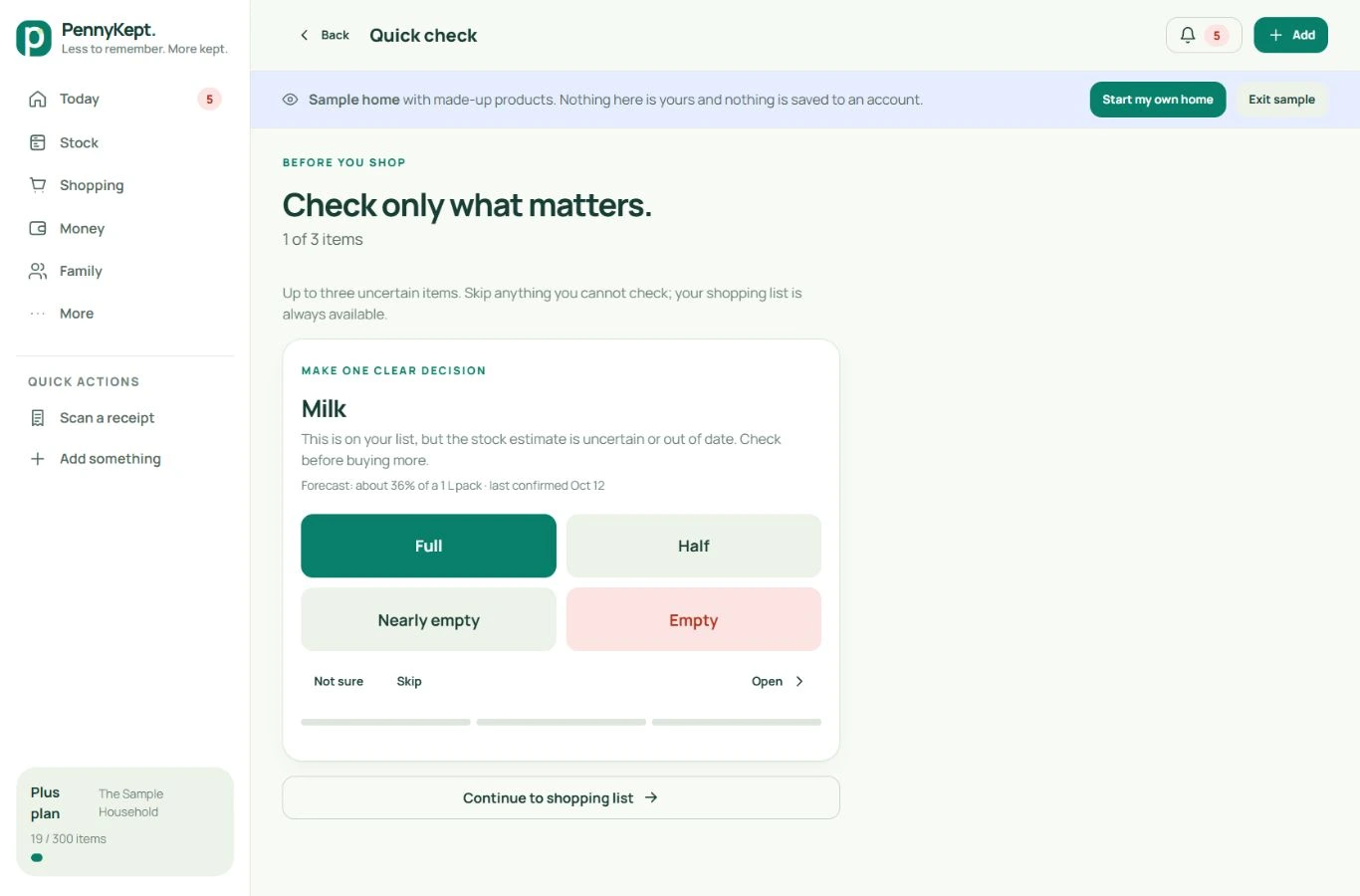
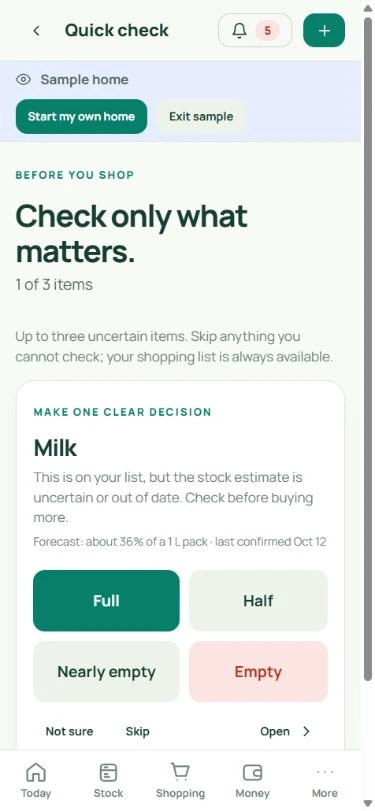
Quick check

Keep stock current in a few taps.

The quick check brings up products where another observation would help.

  • Before a shop, check up to three uncertain items, prioritizing your list. The weekly Quick Check can cover up to five.
  • Choose Full, Half, Nearly empty, Empty, Not sure or Skip.
  • Finished-item actions and undo help maintain a useful stock record without weighing every pack.

Actual PennyKept screen · fictional sample household · select a view and open at full size.

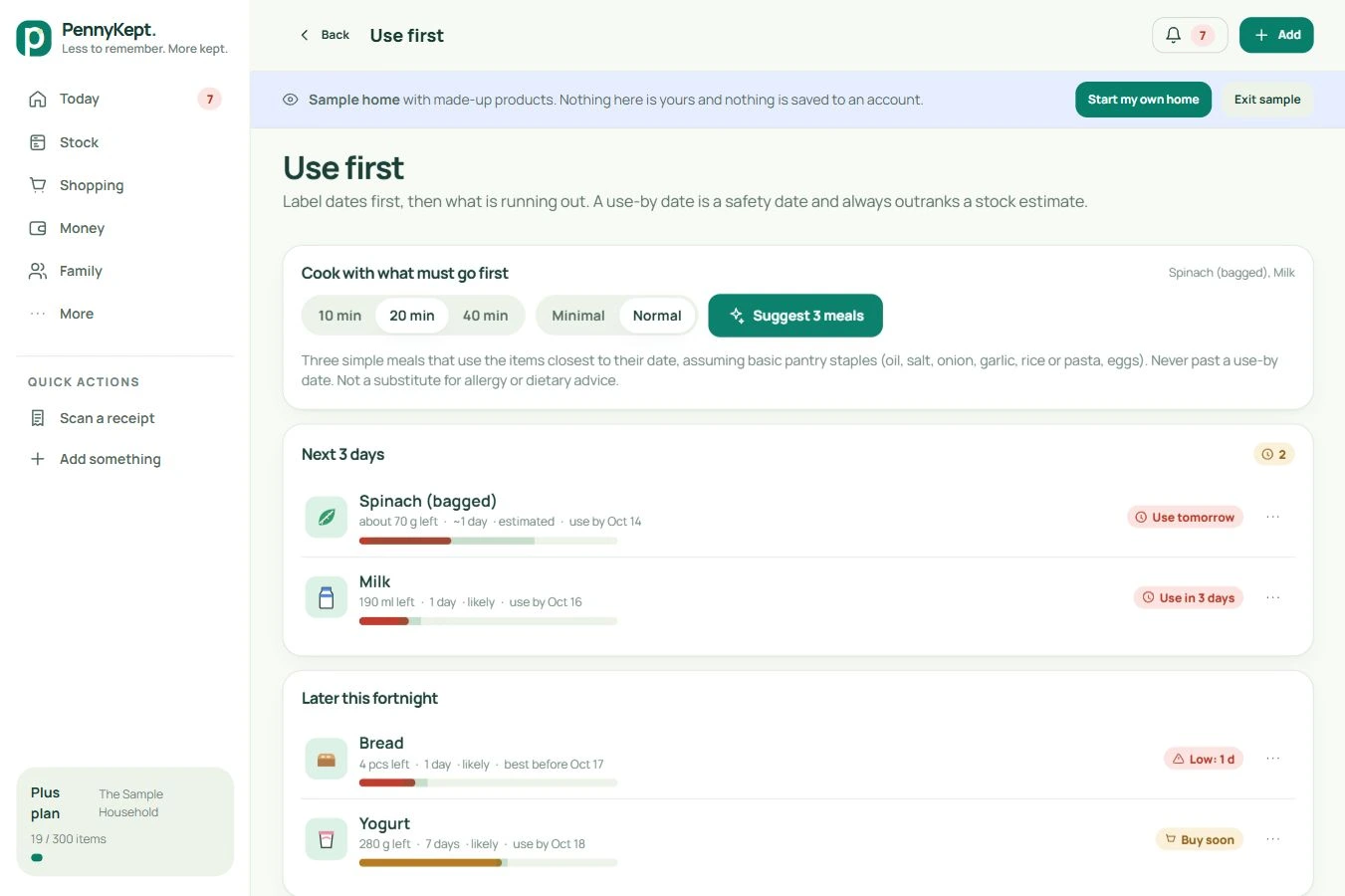
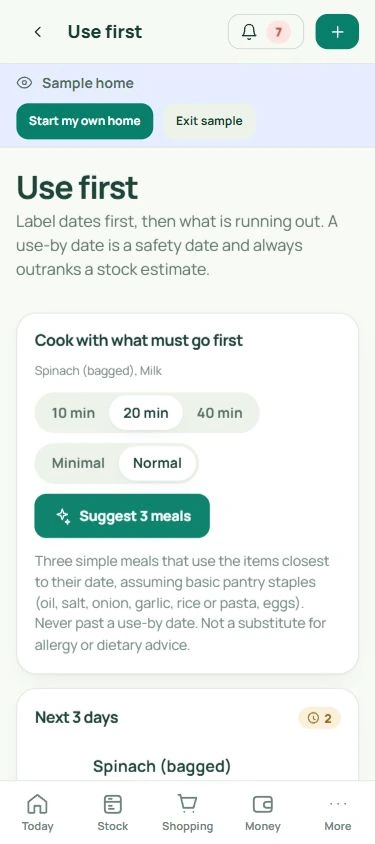
Use first

See what needs using first.

Product-label dates and predicted low stock stay separate.

  • Browse Today, Next 3 days, Later and Running out.
  • Forecasts estimate consumption from recorded usage; paid plans include the forecasting tools.
  • From Today, choose suitable recorded food for an easy meal, with one-pan, no-cook and no-extra-shopping choices. Use First also offers ideas around suitable food needing attention. Review quantities, labels and dietary needs. See the actual easy-meal panel ↗

Actual PennyKept screen · fictional sample household · select a view and open at full size.

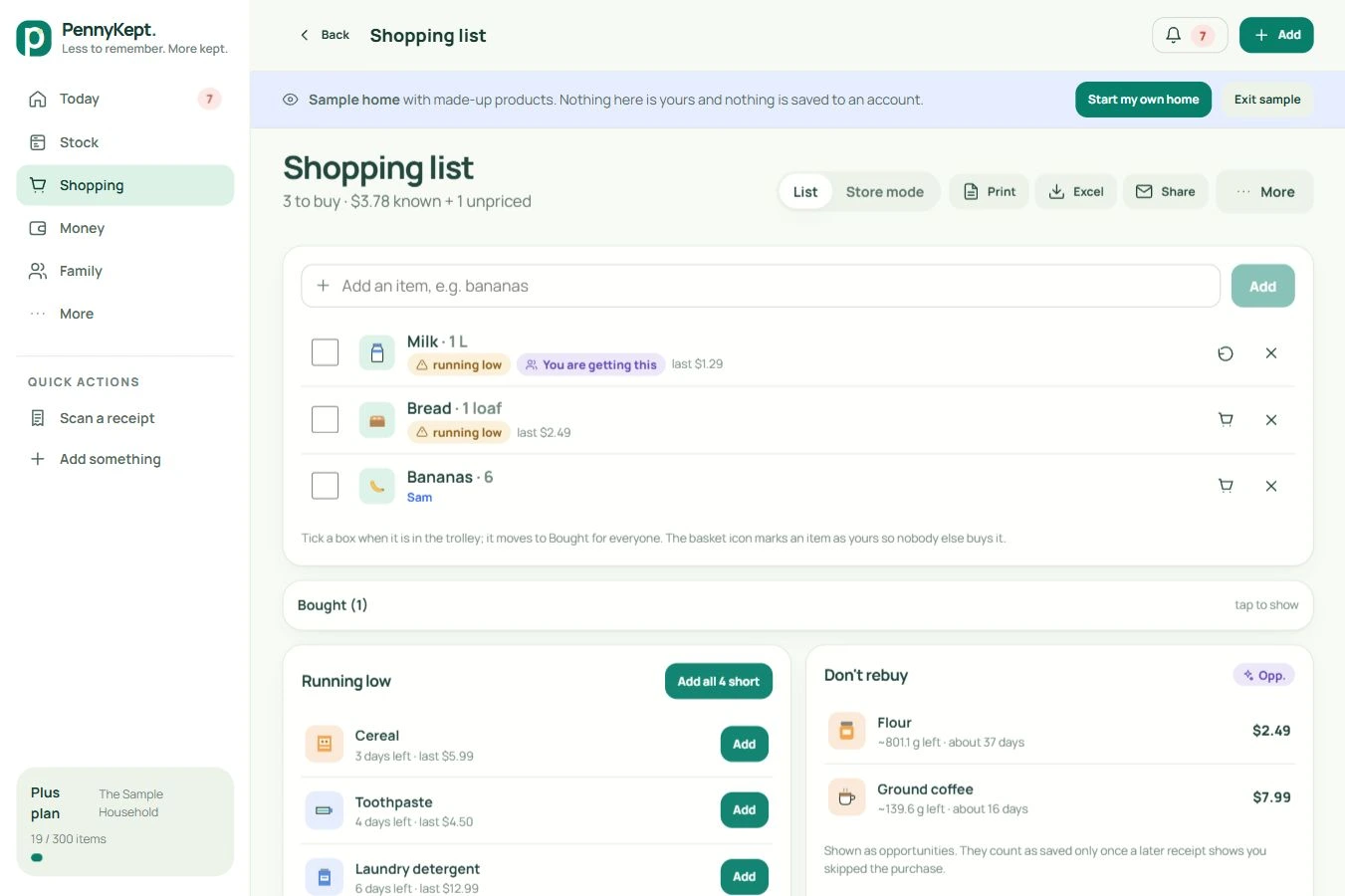
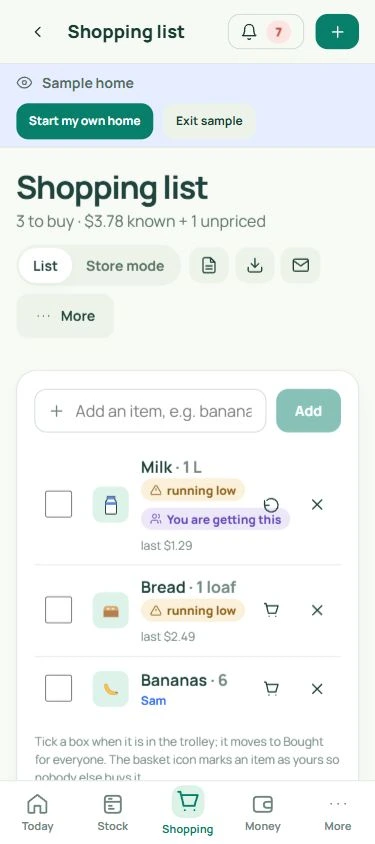
Shared shopping

One list for the whole household.

Coordinate the next shop without relying on another message thread.

  • Add items manually or from low stock, with quantities, notes and product links.
  • Claim an item for two hours so others see who is getting it.
  • Tick purchases into Bought, release a claim and see known costs separately from unpriced lines.

Actual PennyKept screen · fictional sample household · select a view and open at full size.

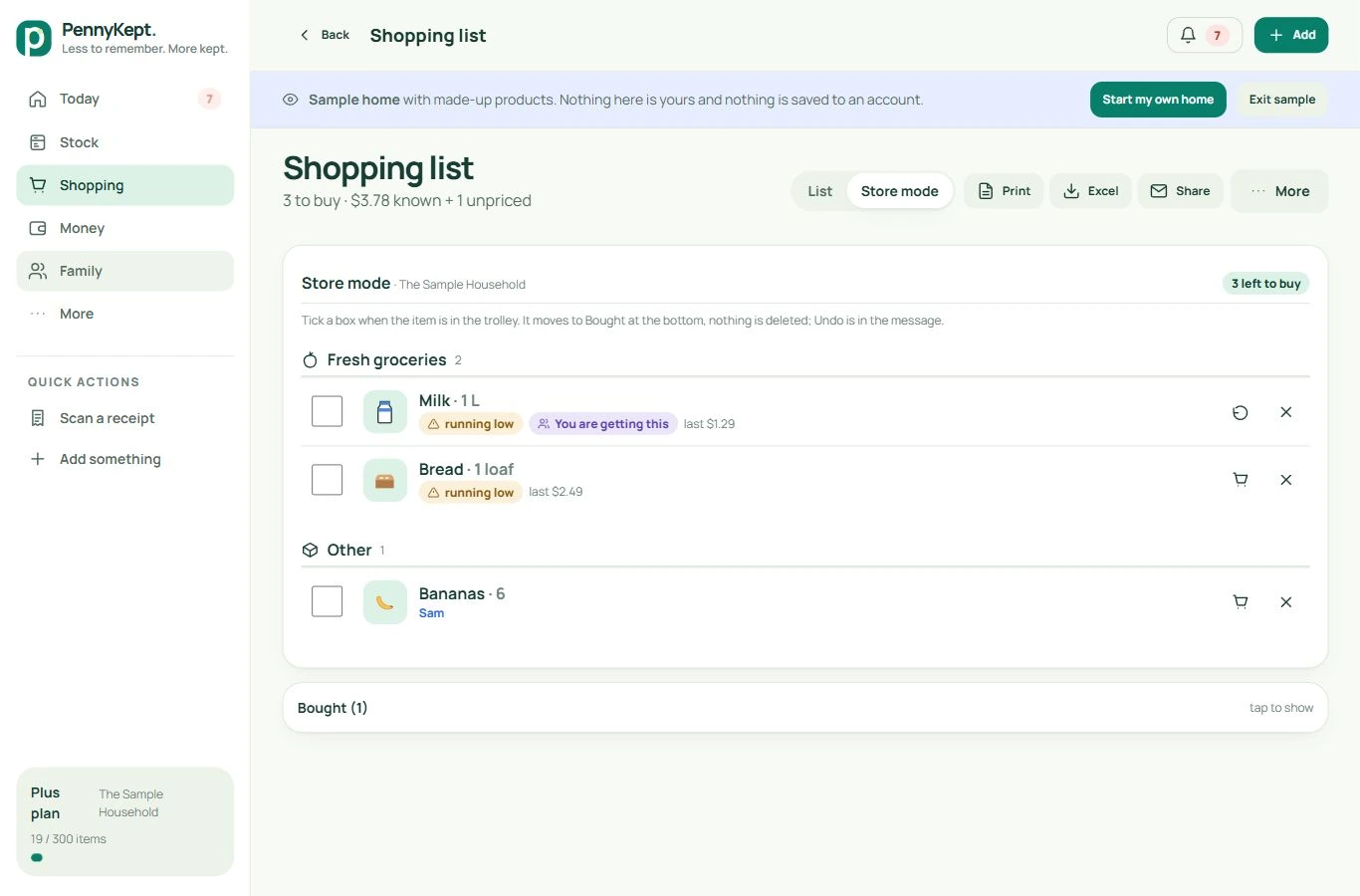
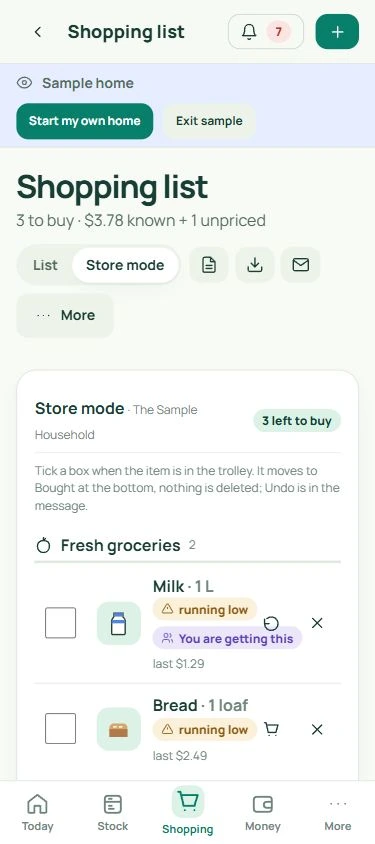
Store mode

Make the list easy to use in the aisle.

Store mode puts shopping controls within easy reach.

  • Group the list for a shopping trip and use large checkboxes.
  • Follow the remaining-item count as purchases are checked off.
  • Switch back to the regular list for stock context and household coordination.

Actual PennyKept screen · fictional sample household · select a view and open at full size.

Shopping extras

Turn notes and plans into a useful next step.

Shopping extras handle the details between one shop and the next.

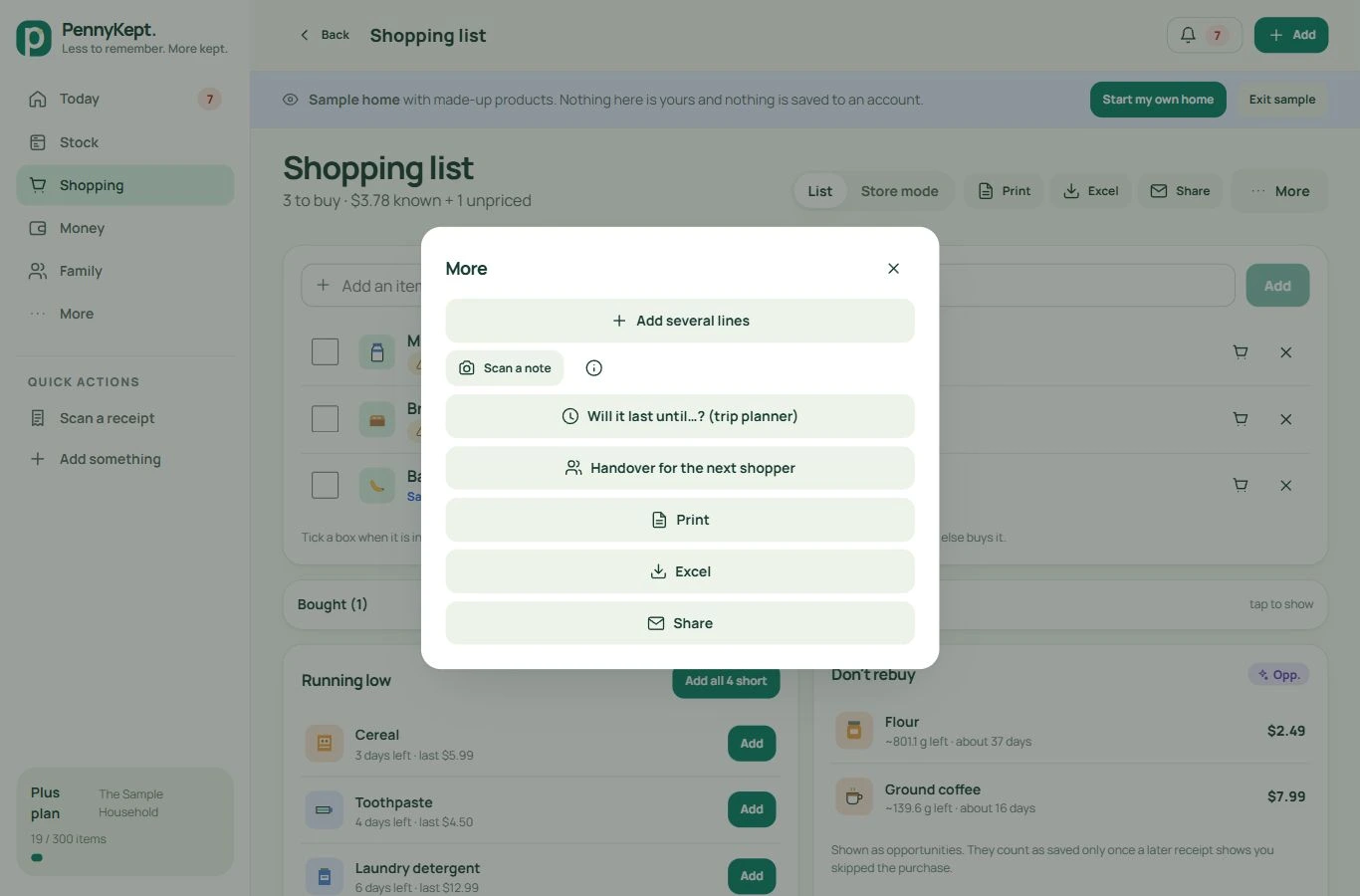
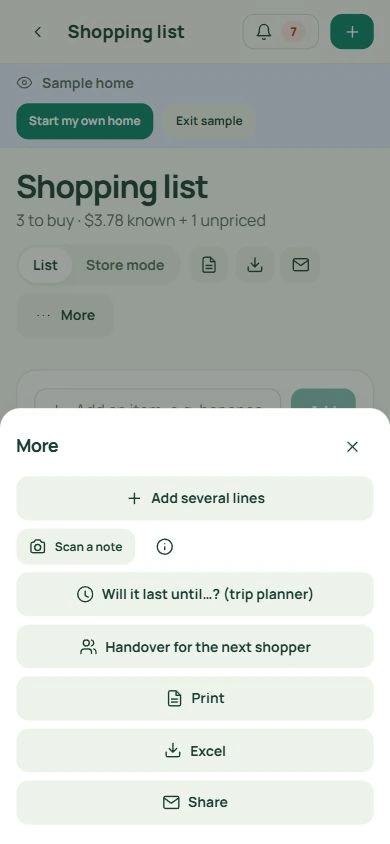
  • Scan a handwritten shopping note into a draft, then review names, quantities and uncertain words before adding.
  • Add several typed lines, print, export for Excel or share the list.
  • Prepare a handover for the next shopper. Receipt scans create purchase items; shopping-note scans create list items.

Actual PennyKept screen · fictional sample household · select a view and open at full size.

Trip planner

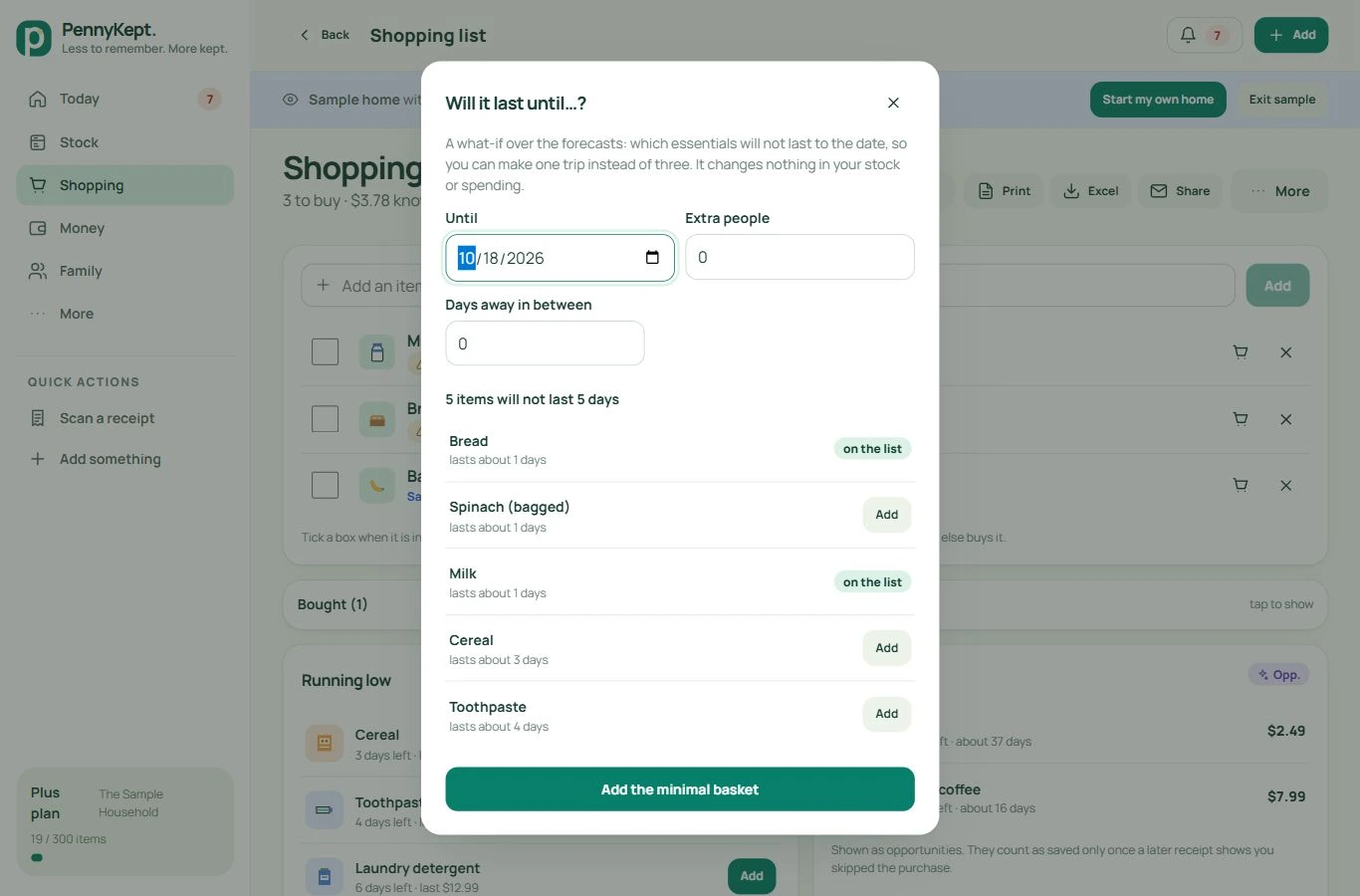
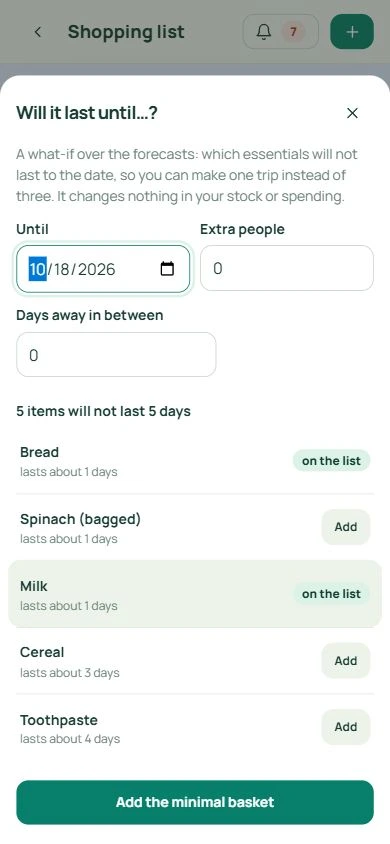
Will it last until your next shop?

Try a date, extra people and days away before planning the basket.

  • See which tracked essentials are predicted not to last until the chosen date.
  • Review forecast uncertainty and which products are already on the list.
  • Add the shortfall if useful. The what-if itself does not change stock or record money saved.

Actual PennyKept screen · fictional sample household · select a view and open at full size.

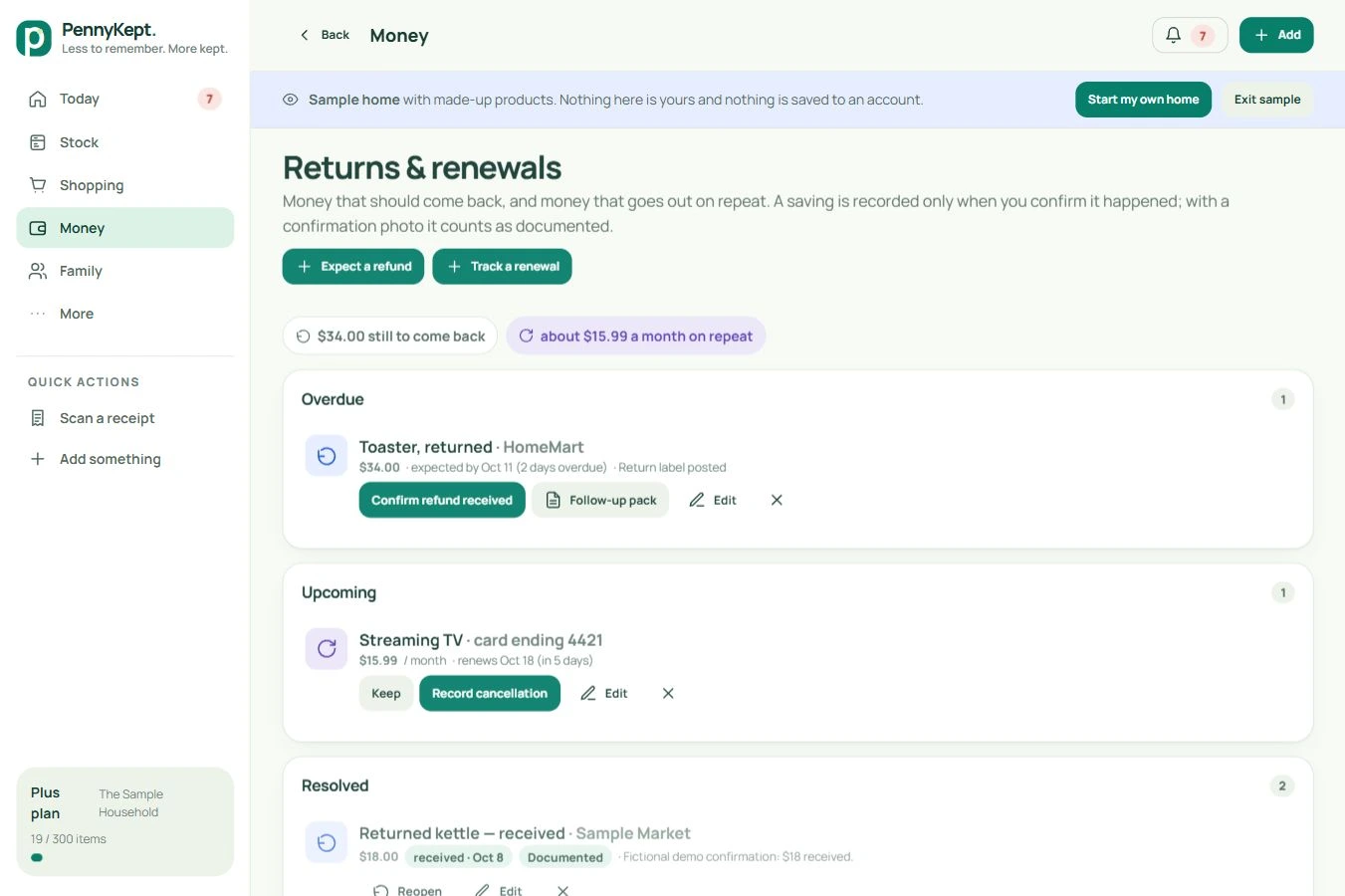
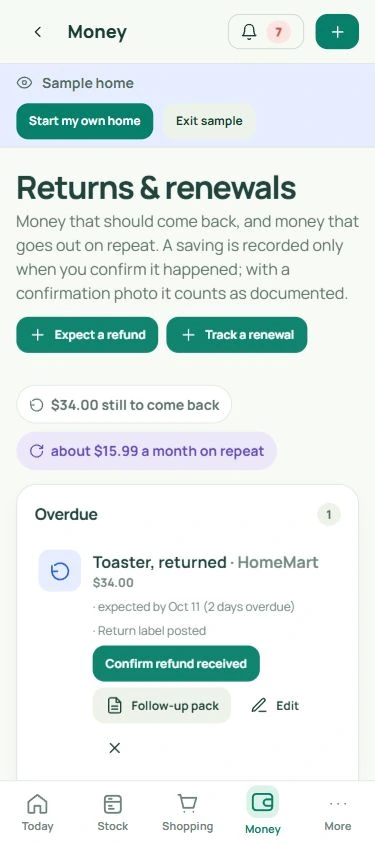
Returns and renewals

Keep refunds and renewals in view.

Follow money that should come back and services that bill again.

  • See Overdue, Upcoming and Resolved records.
  • Confirm an arrived refund or a cancellation, with date and optional confirmation evidence; edit or undo the outcome.
  • A follow-up pack helps chase an overdue refund. Recording a cancellation here does not cancel the merchant service.

Actual PennyKept screen · fictional sample household · select a view and open at full size.

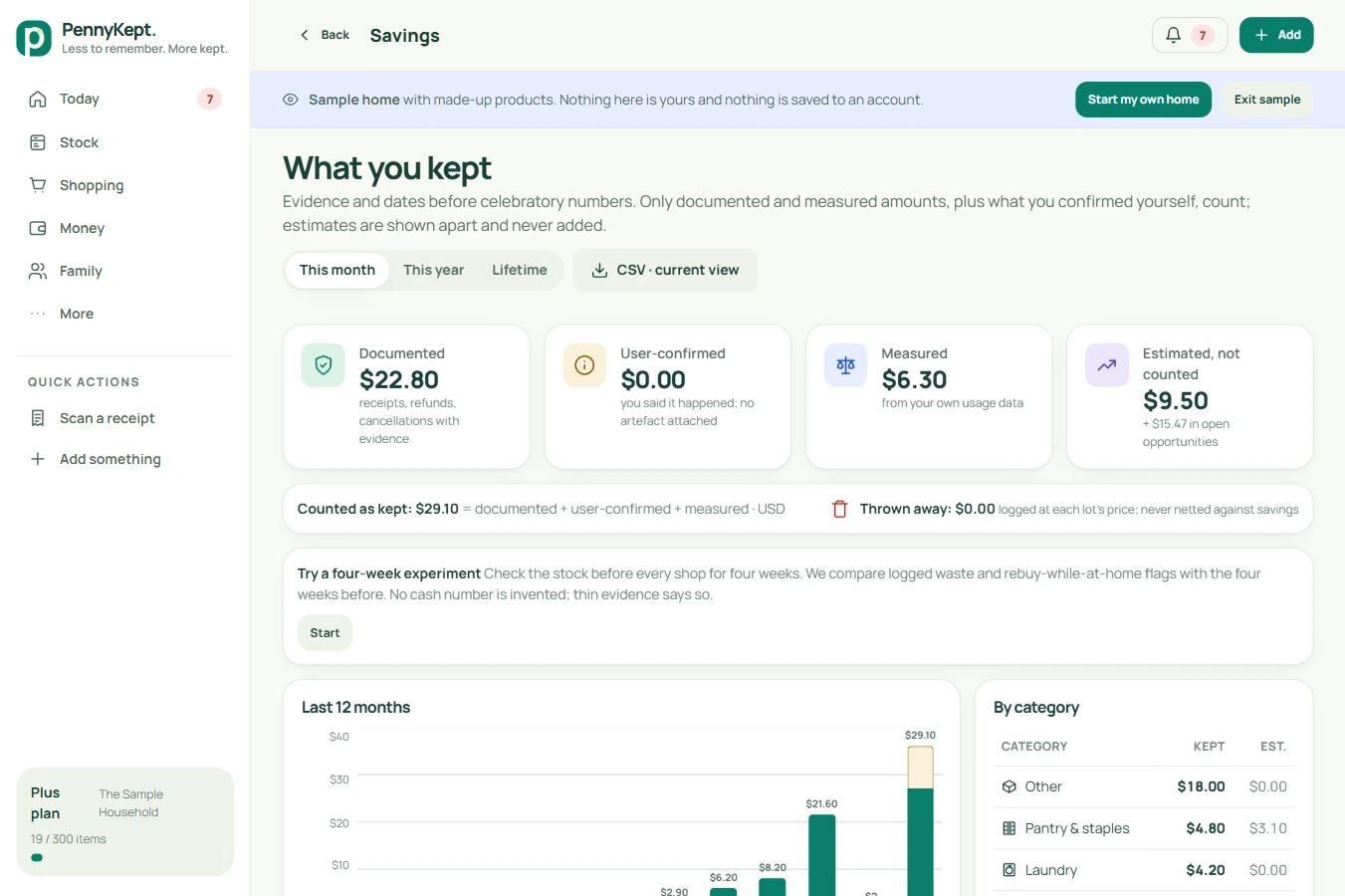
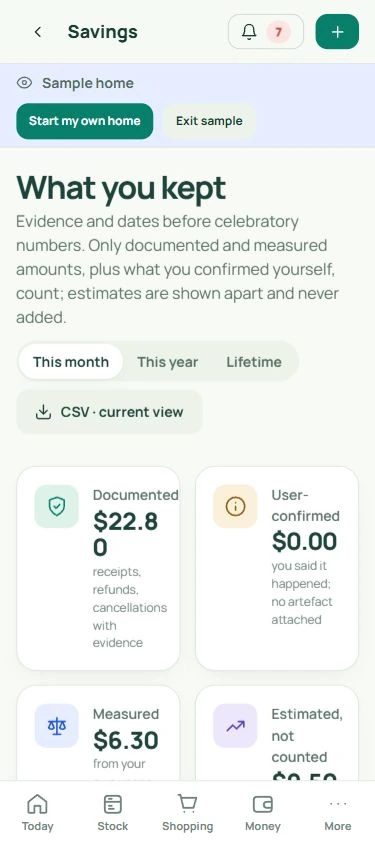
Savings and evidence

See what you kept, and why it counts.

The ledger explains amounts instead of turning every possibility into a saving.

  • Documented, user-confirmed and measured amounts are shown separately. Estimates and opportunities are not added to money kept.
  • Choose a month, year or lifetime; inspect evidence and category totals with duplicate protection.
  • Export the visible period and filter to CSV, or try the optional four-week experiment. Statements and exports depend on your plan.

Actual PennyKept screen · fictional sample household · select a view and open at full size.

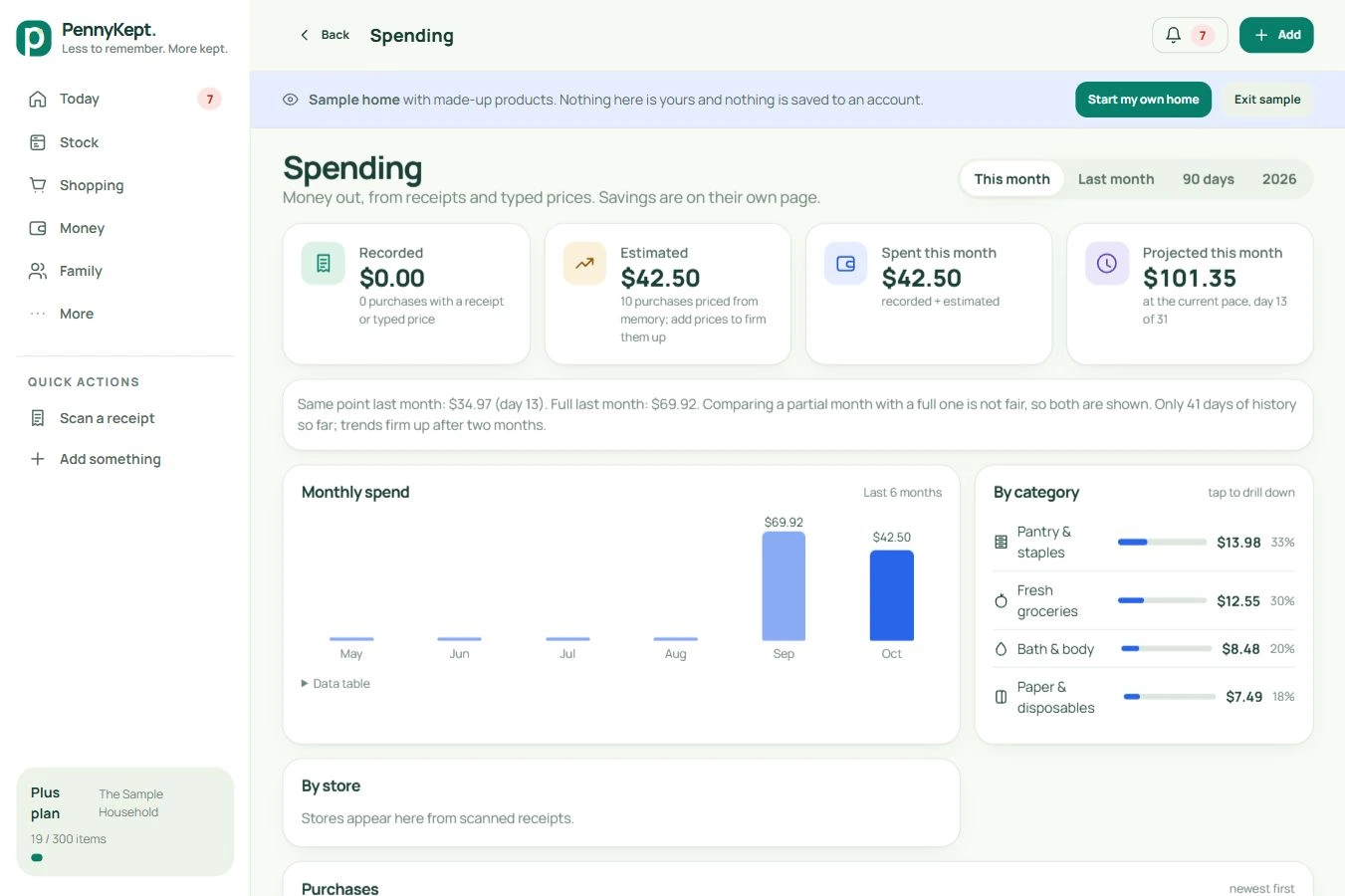
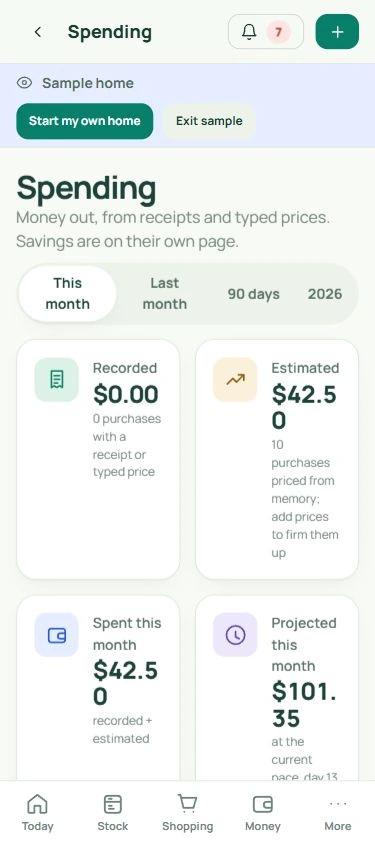
Spending

Understand what your household records show.

Spending brings purchases into a clearer monthly picture.

  • Keep recorded purchase prices separate from amounts estimated from price memory.
  • Explore category, store and product breakdowns with period choices and monthly trends.
  • Partial months and incomplete records remain visible. This is your recorded household activity, not bank-account aggregation.

Actual PennyKept screen · fictional sample household · select a view and open at full size.

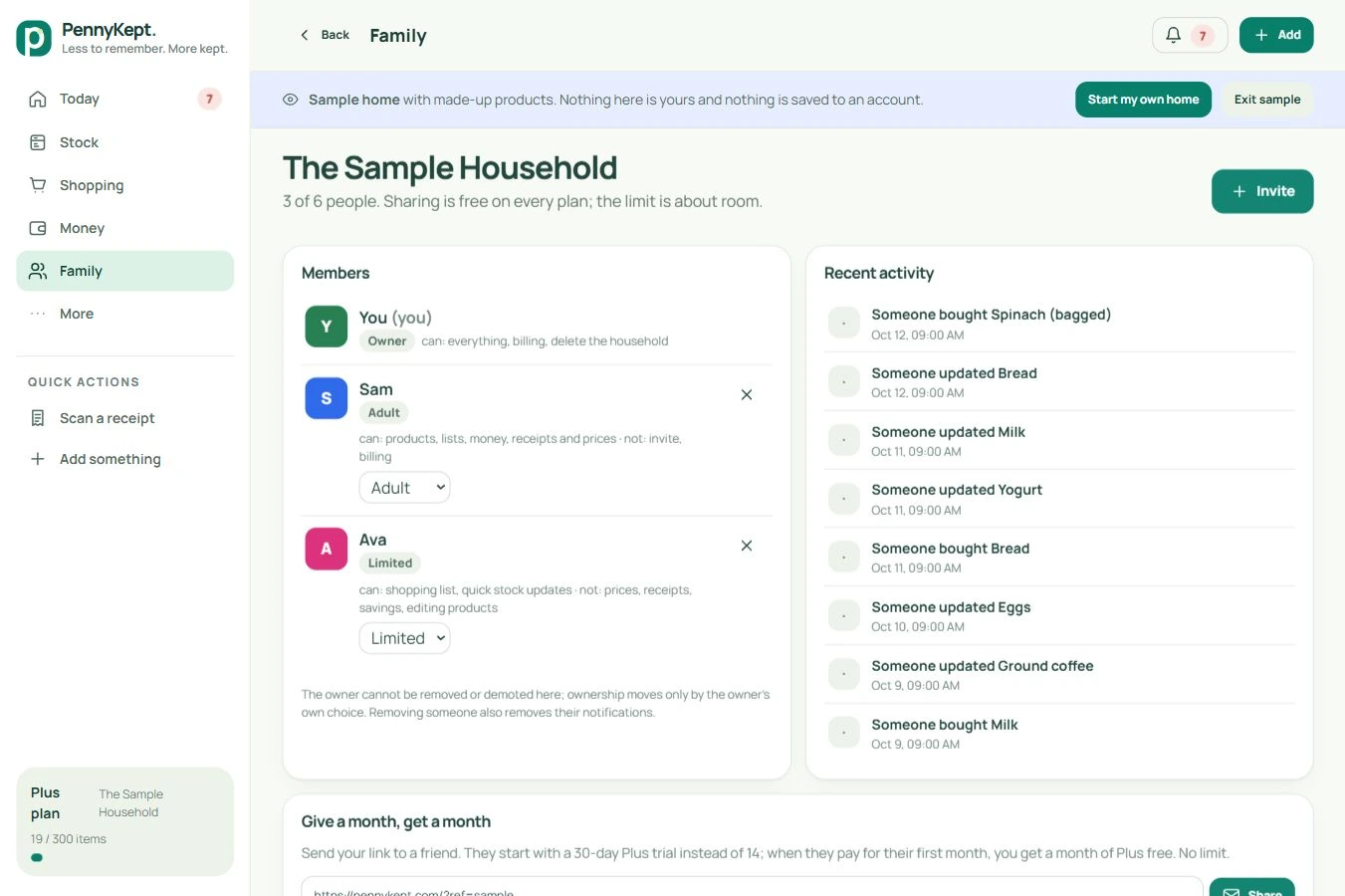
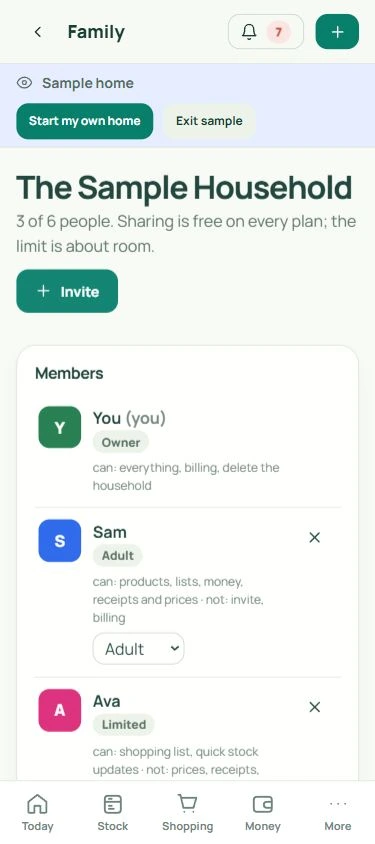
Household

Share the work of remembering.

Invite household members and choose access that suits their role.

  • Use owner, admin, adult and limited roles; the limited app view omits prices and financial screens.
  • Manage pending invitations and the people in your household.
  • Eligible referral credits and invitation details appear in the app. Member limits depend on the selected plan.

Actual PennyKept screen · fictional sample household · select a view and open at full size.

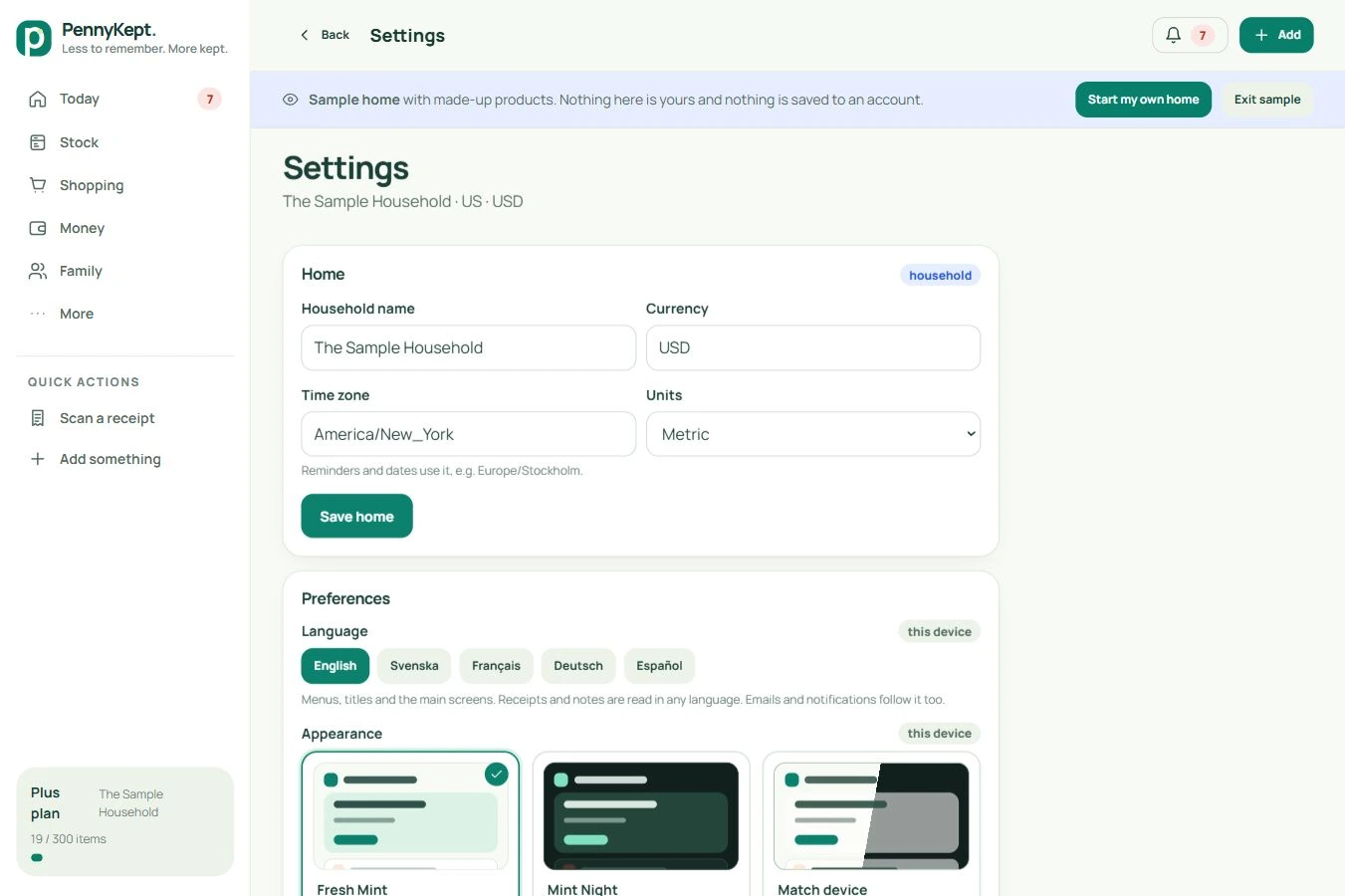
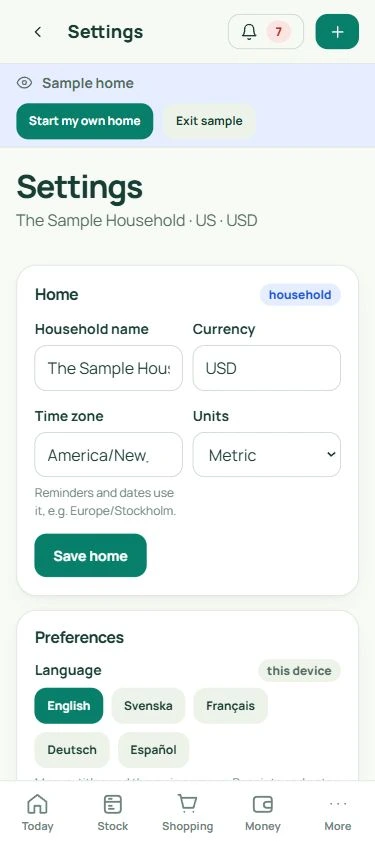
Settings

Make PennyKept fit your household.

A few preferences keep the app useful across devices and routines.

  • Choose household currency, units and timezone; use English, Svenska, Français, Deutsch or Español.
  • Set notifications, away dates and forecasting preferences. Away mode pauses consumption estimates, not product-label dates.
  • Use available device app-lock options and data exports; account and data controls are in Settings. Device support varies.

Actual PennyKept screen · fictional sample household · select a view and open at full size.

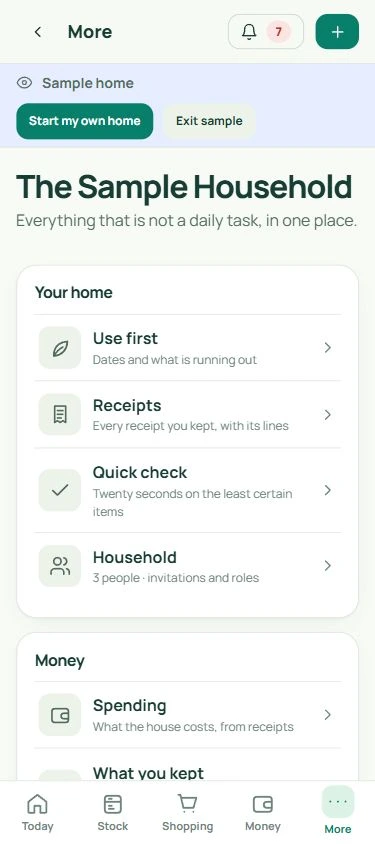
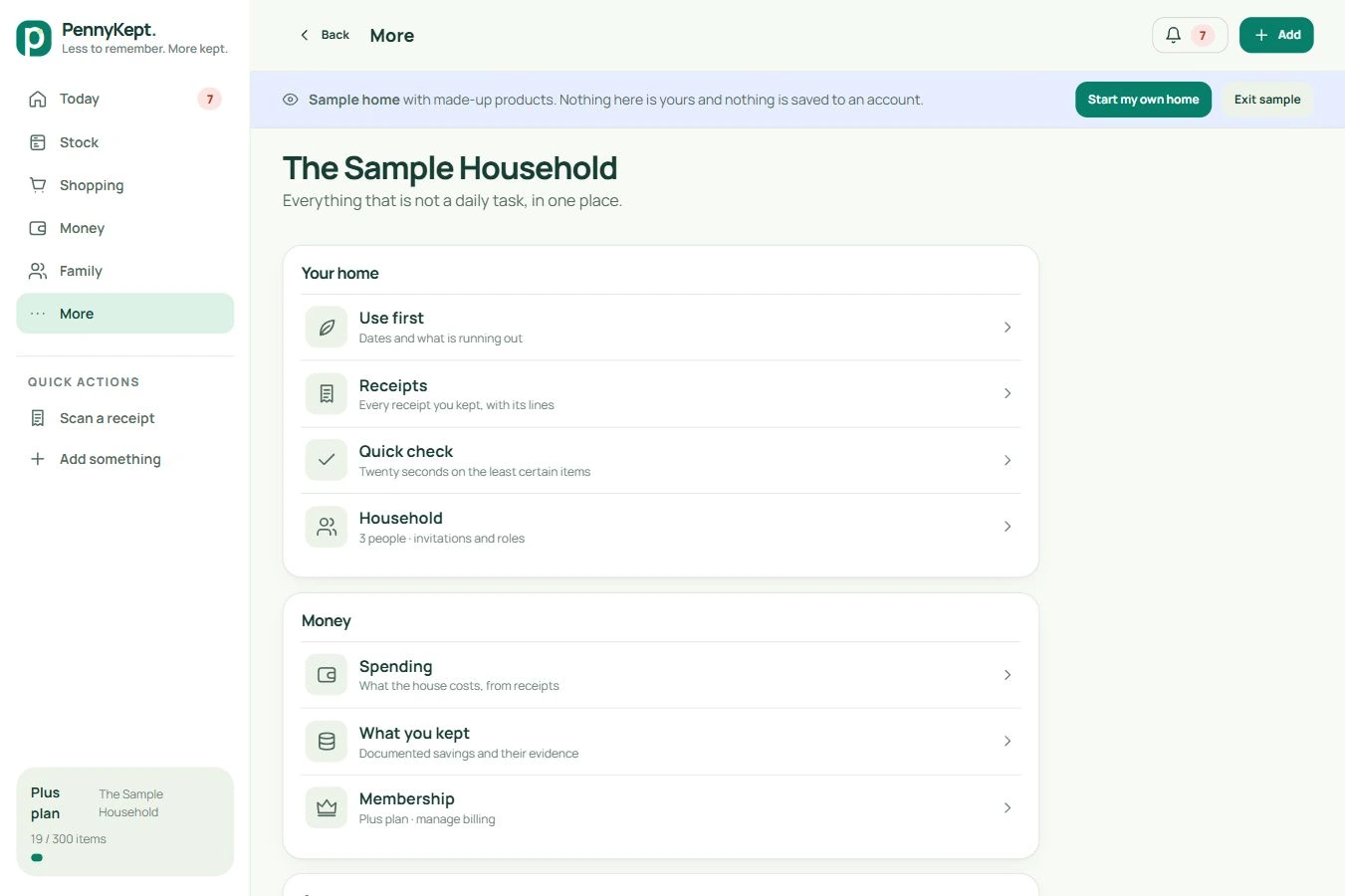
More

Find guides, updates and sync status.

More keeps the occasional tasks together.

  • Open the guide, printable workflow poster, membership, settings and release notes.
  • Connected households can inspect pending or failed changes in Sync and retry them.
  • Offline updates are held on the device for synchronization when a connection returns. Keep an eye on failed changes before switching devices.

Actual More menu in the fictional sample home. The Sync card appears for connected households, not in this sample.

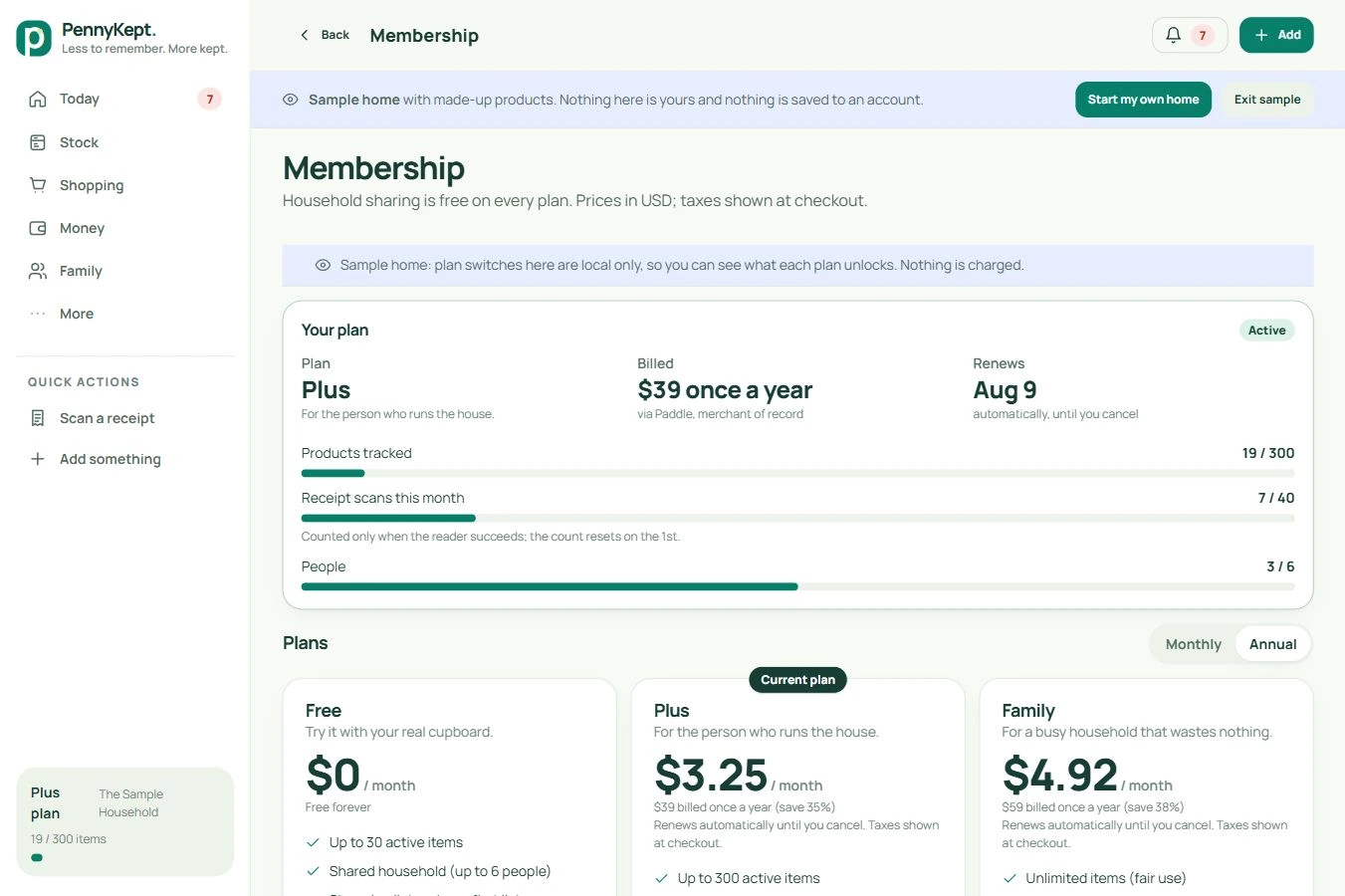
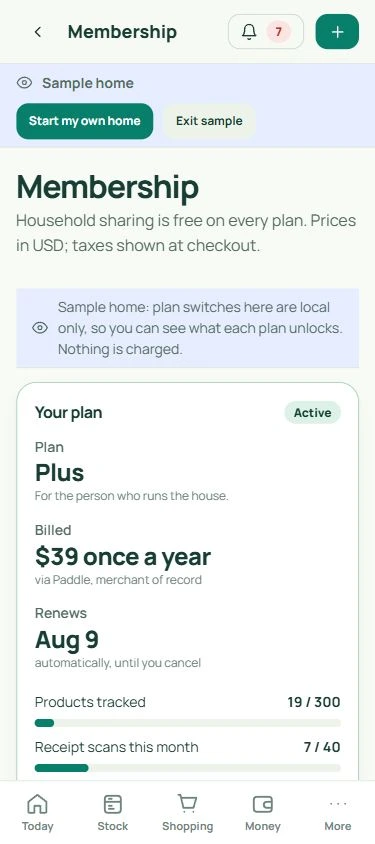
Membership

Start free. Add capacity when it helps.

Pick the room and tools your household actually needs.

  • Free: 30 active products, sharing for 6 people and 3 receipt scans a month.
  • Plus: 300 products, 40 scans, forecasts and statement/export tools. Family raises household and scan limits.
  • Review current pricing, trial details, renewal terms and refunds before subscribing. Android has an APK; iPhone and desktop use web-app installation.

Actual PennyKept screen · fictional sample household · select a view and open at full size.

A clearer record starts with what you confirm.

Keep purchases and usage reasonably current. Forecasts and ideas are estimates; outcomes depend on your household. Live retailer price searching and warranty records are proposed future additions, not included features. Your own recorded store and unit-price comparisons are available.

Start with a few things

Make room for a lighter day.

Try the sample home, or start your own.

Start free, no card ↗Download or install PennyKept ↗